Trending 12 Google Gemini AI Photo Editing Prompts for Boys: To Create Trendy HD Portraits
Discover 12 trending Google Gemini AI photo editing prompts for boys to create stylish and viral HD portraits. Perfect for achieving unique, high-quality images that stand out on social media.
by James
Published Jan 23, 2026 | Updated Jan 23, 2026 | 📖 10 min read
Article continues below advertisement
On This Page
Quick Summary
✅ 12 professional AI prompts for boys' HD portraits
✅ Works perfectly with Google Gemini AI - copy-paste ready
✅ Create cinematic, viral-worthy photos in minutes
✅ 100% free to use - no photo editing experience needed
✅ Perfect for Instagram Reels, YouTube Shorts, and TikTok content
✅ 12 professional AI prompts for boys' HD portraits
✅ Works perfectly with Google Gemini AI - copy-paste ready
✅ Create cinematic, viral-worthy photos in minutes
✅ 100% free to use - no photo editing experience needed
✅ Perfect for Instagram Reels, YouTube Shorts, and TikTok content
Trending 12 Google Gemini AI Photo Editing Prompts for Boys: To Create Trendy HD Portraits
Some portraits don't just show a face, they create a vibe. In 2026, boys' photo edits are moving beyond basic filters and into full cinematic storytelling, where a single image can feel like a fashion campaign, a movie still, or a luxury brand shoot.
Google Gemini AI is revolutionizing how young men create their visual identity online. No expensive photoshoots, no professional camera gear, and no complicated editing software required. Through the power of advanced AI prompt engineering, anyone can now transform ordinary selfies into stunning, magazine-quality portraits that command attention.
This collection of 12 Google Gemini AI photo editing prompts is designed for creators who want their pictures to look styled, intentional, and made for attention—not accidental. From soft forest aesthetics and modern café romance to royal festive looks and night-time halo lighting, these copy-paste prompts help turn everyday photos into HD portraits that feel crafted, premium, and ready to go viral.
Whether you're building your personal brand, creating content for social media, or simply want profile pictures that stand out, these expertly designed prompts deliver exceptional realism, cinematic depth, and creative precision that truly capture your unique style and personality.
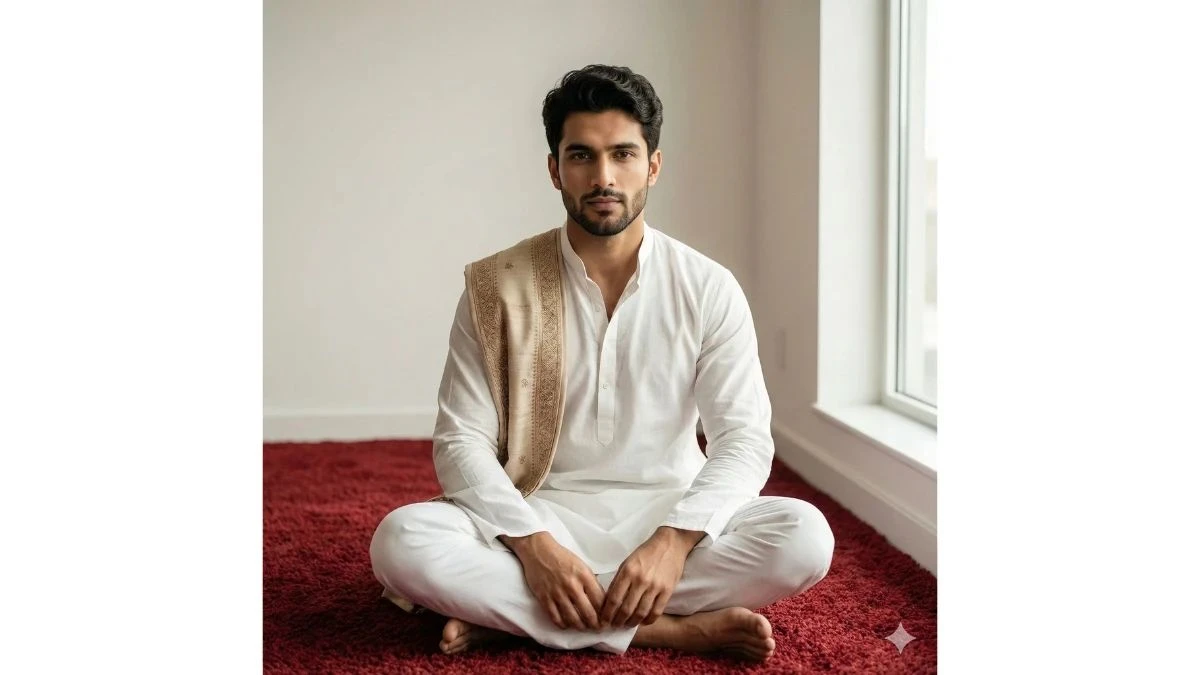
Prompt 1: Minimal Royal White Portrait
Use This:
"Create a hyper-realistic cinematic portrait of a confident young man using the exact face, hairstyle, beard shape, skin tone, and facial structure from the uploaded reference image (do not alter identity). He is seated on a deep red textured carpet in a minimal indoor space with a clean off-white wall behind him. He wears a crisp white kurta-pajama with an embroidered beige-and-gold shawl draped over one shoulder, projecting calm authority and royal elegance. Lighting is soft natural window light from the side, creating gentle highlights on cheekbones and subtle jawline shadows. Maintain shallow depth of field with a premium DSLR look. Color grading is warm, neutral, and cinematic. Camera framing: full-body seated pose, slightly low angle, portrait orientation, ultra-realistic 8K, sharp facial details, natural skin texture, luxury editorial mood."
Best for: Profile pics, cultural reels, premium branding
Image Credit: Google Gemini AI
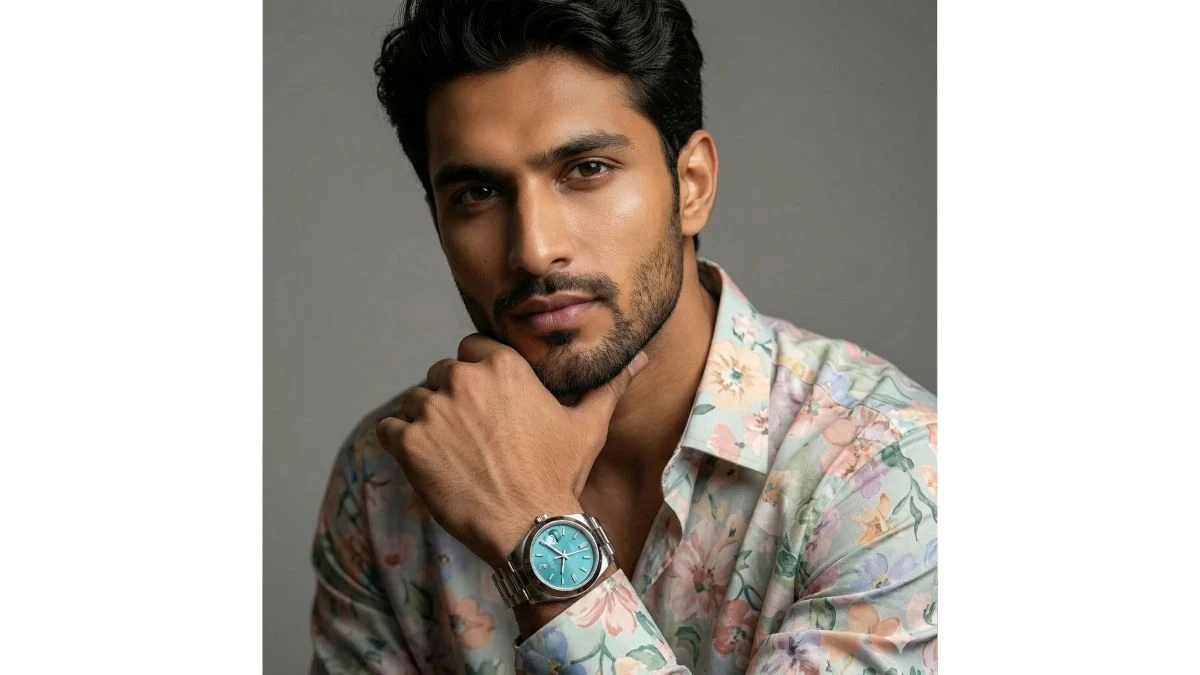
Prompt 2: Luxury Watch Close-Up Portrait
Use This:
"Create a cinematic studio portrait of a stylish young man using the exact face and identity from the uploaded reference image. He wears a floral pastel designer shirt and a luxury metal wristwatch with a turquoise dial, resting his chin lightly on his hand in a confident thinking pose. Background is smooth neutral gray with soft studio lighting. Use Rembrandt lighting to highlight facial contours and eye reflections. Add shallow depth of field, high-end editorial color grading, and ultra-sharp focus on eyes and watch details. Camera framing: tight mid-shot, portrait orientation, 8K realism, premium magazine-style finish."
Best for: Fashion reels, brand collabs, Instagram DP
Image Credit: Google Gemini AI
Prompt 3: Misty Street Explorer Look
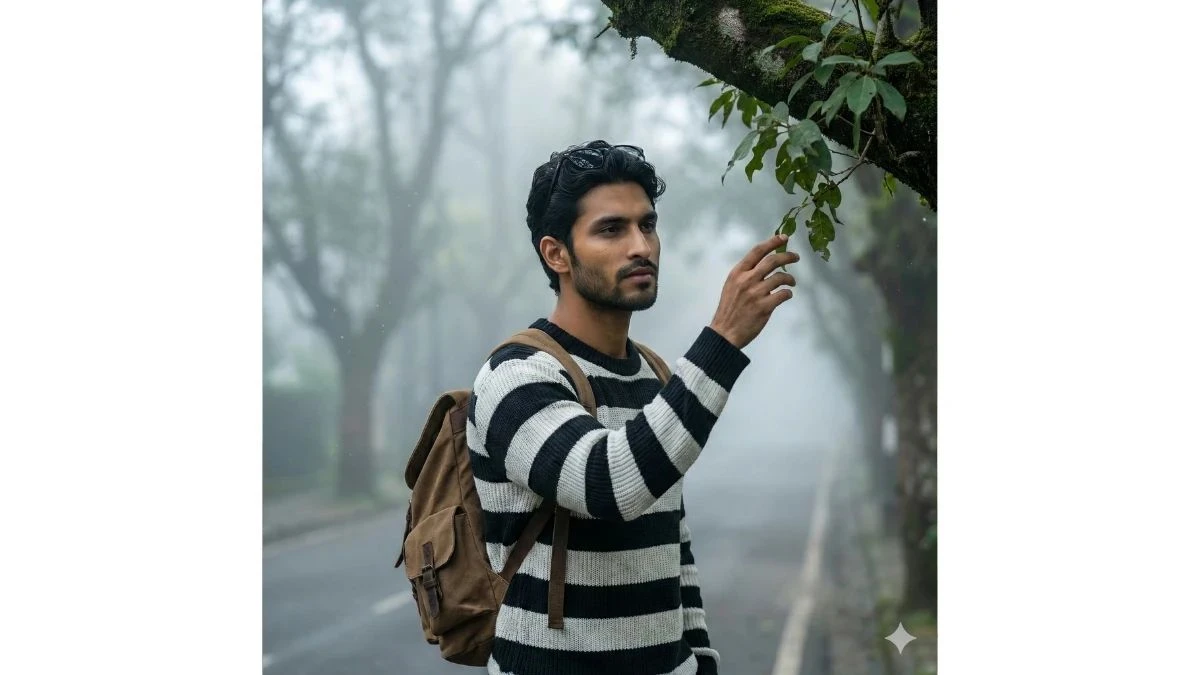
Use This:
"Create a cinematic outdoor portrait using the exact face and identity from the uploaded reference image. The man stands on a foggy tree-lined street wearing a black-and-white striped sweater, casual backpack, and sunglasses resting on his head. He gently reaches toward green leaves hanging from a tree branch, giving a thoughtful, wanderer aesthetic. Lighting is soft morning mist light with cool cinematic tones. Add depth blur, atmospheric fog particles, and natural shadows. Camera framing: waist-up, slight upward angle, 8K ultra-realistic, moody travel film color grading."
Best for: Travel reels, lifestyle branding, urban edits
Image Credit: Google Gemini AI
Prompt 4: Modern Traditional Gentleman
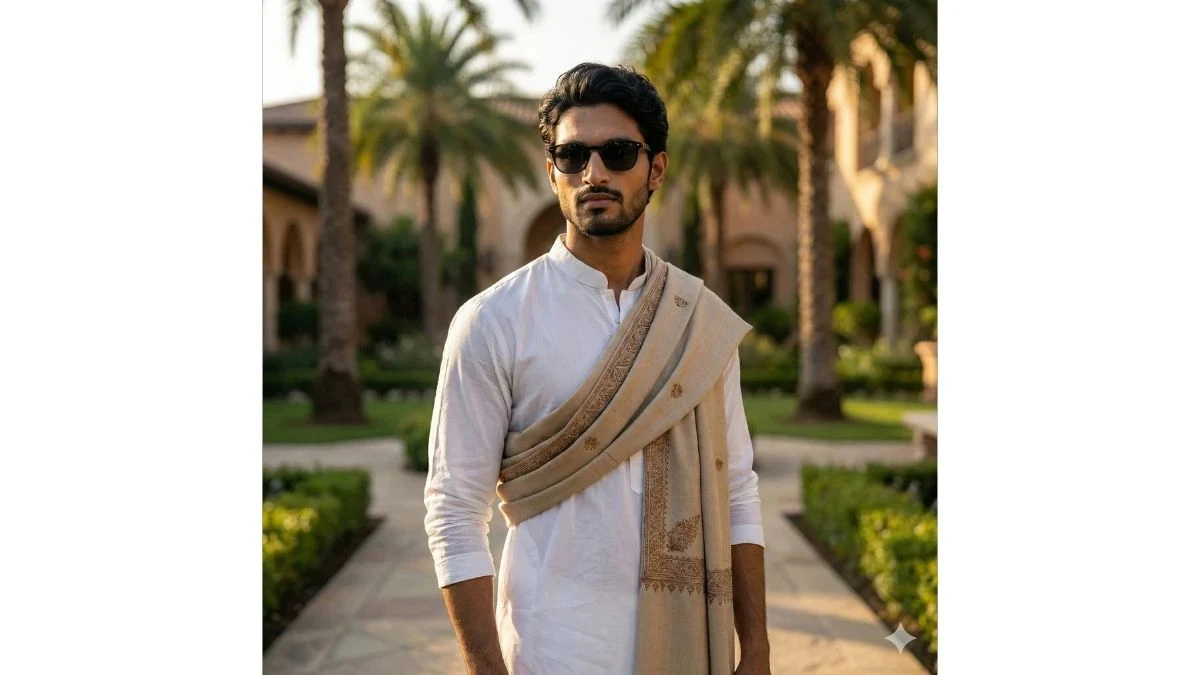
Use This:
"Create a luxury outdoor portrait using the exact face and identity from the uploaded reference image. He stands confidently in a landscaped garden courtyard wearing a white kurta with a beige shawl draped across his chest and stylish sunglasses. Palm trees and soft architecture blur in the background. Lighting is warm golden-hour sunlight with cinematic highlights and soft shadows. Camera framing: mid-shot, portrait orientation, premium fashion photography style, ultra-realistic 8K."
Best for: Festive posts, cultural branding, ethnic fashion
Image Credit: Google Gemini AI
Prompt 5: Urban Fence Fashion Shot
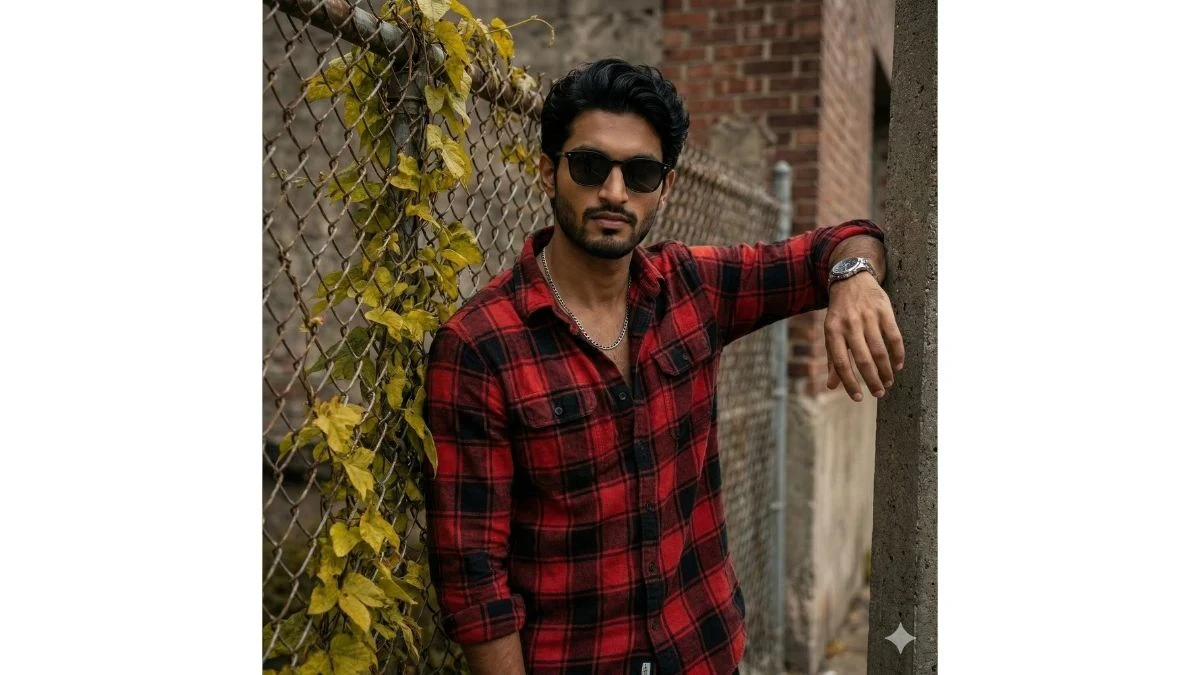
Use This:
"Create a cinematic lifestyle portrait using the exact face and identity from the uploaded reference image. He leans casually against a chain-link fence covered in yellow-green vines, wearing a red and black checkered flannel shirt, silver chain, and wristwatch. Lighting is soft cloudy daylight with cinematic contrast. Add shallow depth blur, textured background, and fashion-style color grading. Camera framing: chest-up, editorial angle, 8K realism, premium urban aesthetic."
Best for: Streetwear reels, fashion ads, influencer posts
Image Credit: Google Gemini AI
Prompt 6: Royal Indoor Festive Look
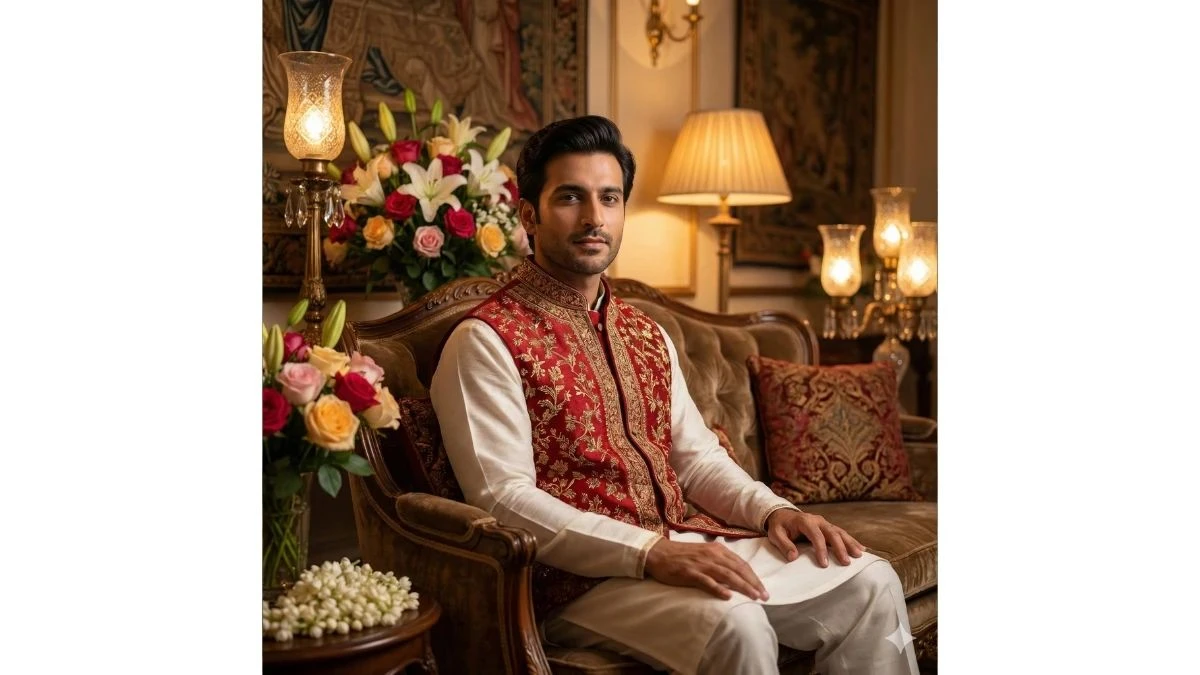
Use This:
"Create a regal indoor portrait using the exact face and identity from the uploaded reference image. He sits on an elegant sofa wearing a red and gold embroidered waistcoat over a white kurta, surrounded by floral arrangements and warm decorative lighting. Lighting is soft golden ambient light with cinematic highlights. Use luxury editorial color grading, shallow depth of field, and ultra-realistic 8K quality. Camera framing: seated mid-shot, eye-level, royal mood."
Best for: Wedding edits, festival branding, luxury reels
Image Credit: Google Gemini AI
Prompt 7: Gentleman With Pet Portrait

Use This:
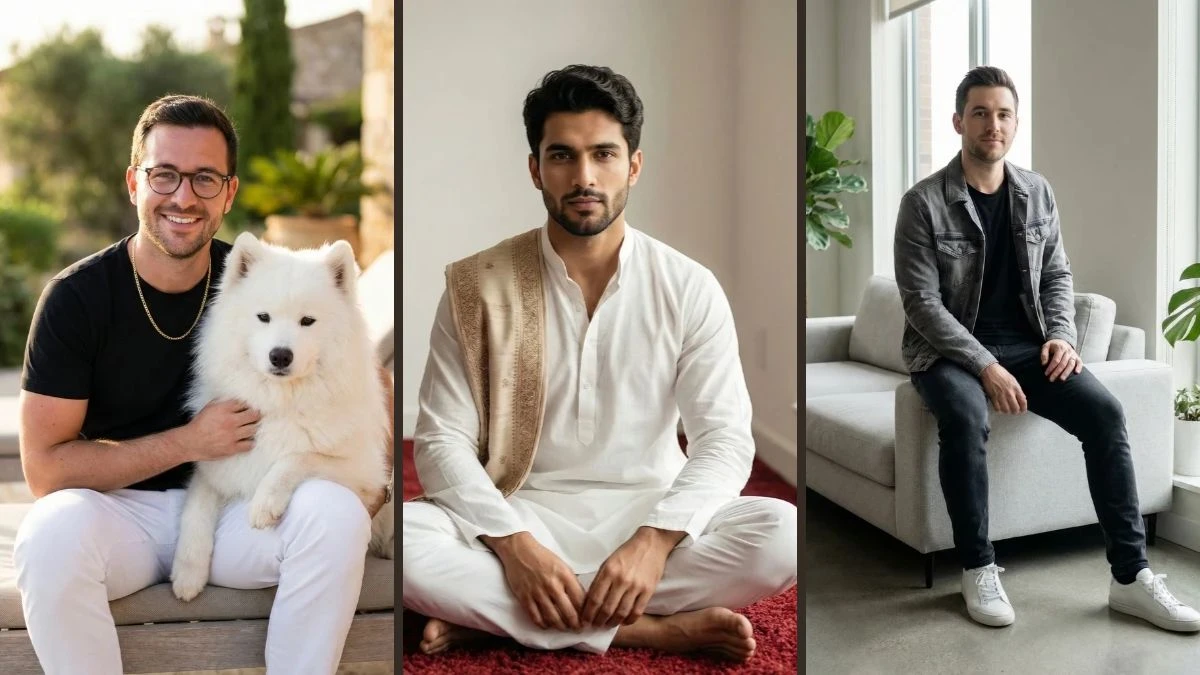
"Create a cinematic lifestyle portrait using the exact face and identity from the uploaded reference image. He sits confidently holding a fluffy white Samoyed dog on his lap, wearing a black shirt, white pants, gold chain, and clear-frame glasses. Background is an outdoor luxury patio with soft greenery blur. Lighting is warm natural daylight with premium depth blur. Camera framing: centered mid-shot, ultra-realistic 8K, emotional and friendly aesthetic."
Best for: Lifestyle reels, pet branding, viral content
Image Credit: Google Gemini AI
Prompt 8: Modern Sofa Lifestyle Look
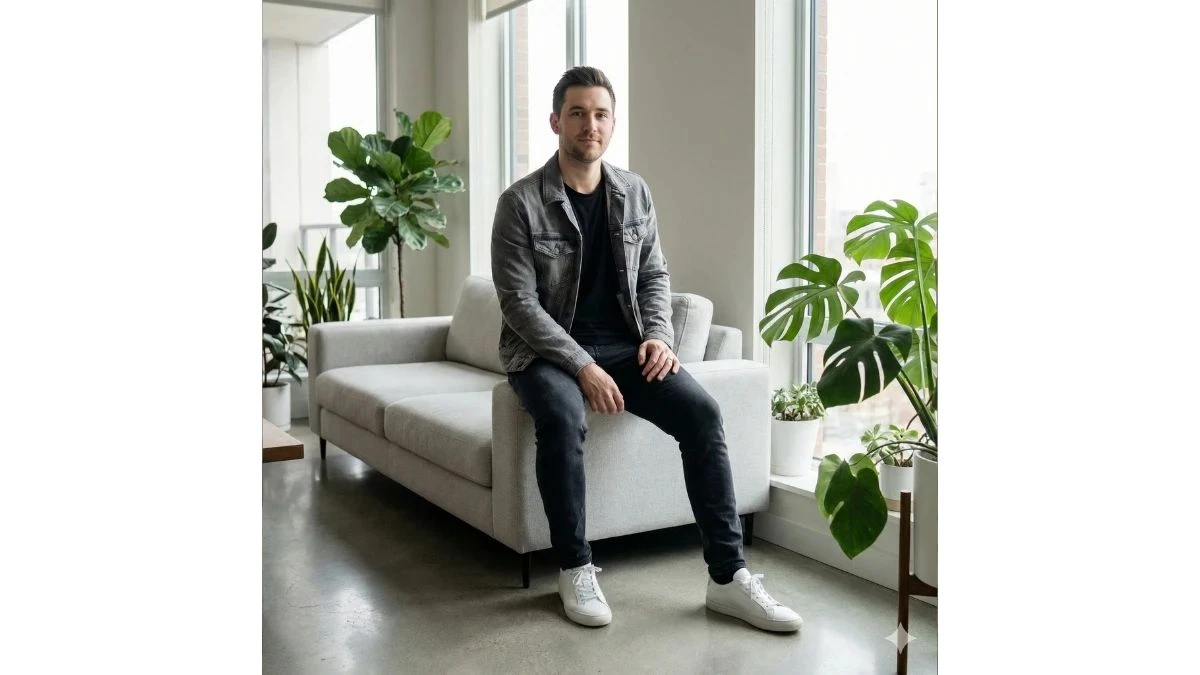
Use This:
"Create a clean modern indoor portrait using the exact face and identity from the uploaded reference image. He sits casually on a minimalist sofa wearing a black t-shirt, grey denim jacket, and white sneakers, surrounded by indoor plants and soft daylight from large windows. Lighting is bright natural diffused light with soft cinematic contrast. Camera framing: relaxed full-body pose, portrait orientation, ultra-realistic 8K, premium lifestyle aesthetic."
Best for: Personal branding, reels, portfolio shots
Image Credit: Google Gemini AI
Prompt 9: Luxury Night Halo Portrait
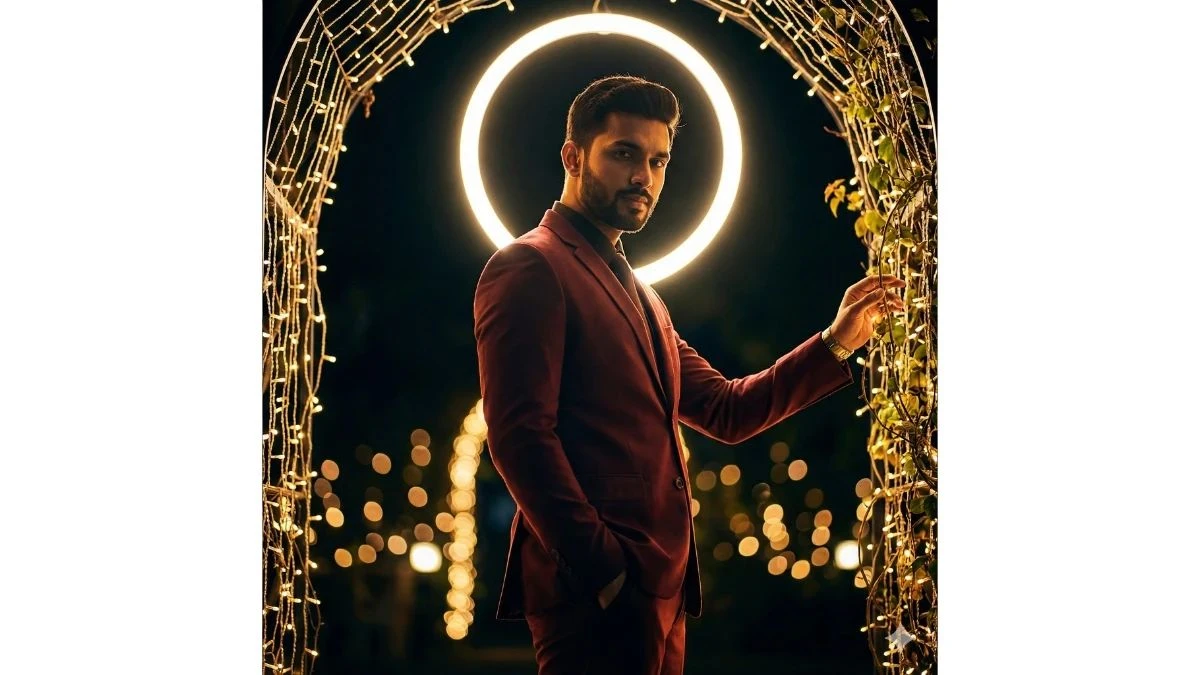
Use This:
"Create a dramatic cinematic night portrait using the exact face and identity from the uploaded reference image. He stands in a maroon suit under a glowing circular light halo and fairy-lit arch, one hand in his pocket, the other touching illuminated vines. Lighting is dramatic warm rim light with glowing bokeh background. Color grading is deep cinematic tones with high contrast and luxury fashion mood. Camera framing: waist-up, slight low angle, ultra-realistic 8K."
Best for: Viral reels, cinematic edits, fashion promos
Image Credit: Google Gemini AI
Prompt 10: Romantic Café Rose Look

Use This:
"Create a cinematic café portrait using the exact face and identity from the uploaded reference image. He sits at a modern table wearing a designer beige patterned shirt and luxury wristwatch, holding a single red rose with baby's breath flowers, smiling gently. Background includes warm indoor lighting, blurred plants, and cozy bokeh. Lighting is soft golden cinematic light with shallow depth of field. Camera framing: mid-shot, portrait orientation, ultra-realistic 8K, romantic lifestyle mood."
Best for: Love reels, dating content, Instagram viral posts
Image Credit: Google Gemini AI
Prompt 11: Forest Chill Lifestyle Look
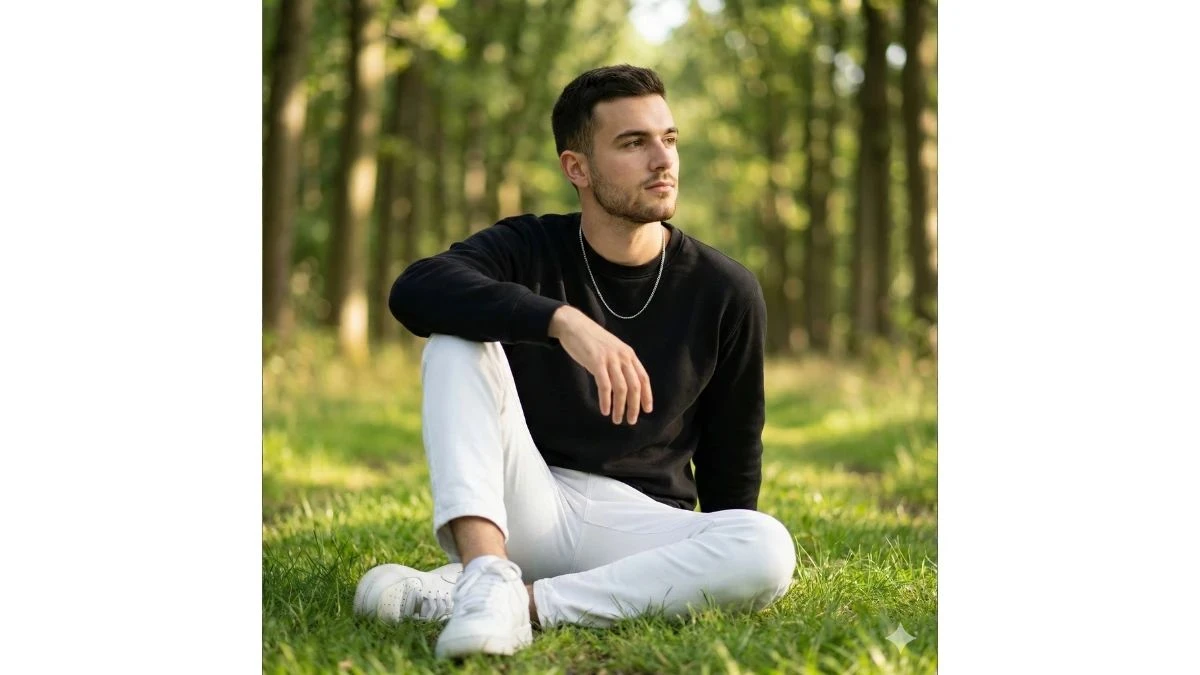
"Create a hyper-realistic cinematic outdoor portrait of a confident young man using the exact face, hairstyle, beard shape, skin tone, and facial structure from the uploaded reference image (do not alter identity). He is seated casually on lush green grass in a sunlit forest corridor with tall trees forming a soft natural tunnel behind him. He wears a black minimal sweatshirt, clean white trousers, white sneakers, and a thin silver chain necklace, giving a modern, relaxed, premium lifestyle vibe. His pose is natural and grounded—one knee raised, one arm resting loosely, looking thoughtfully to the side. Lighting should be soft golden daylight filtered through leaves, creating gentle highlights on his face and subtle shadows on the jawline. Use shallow depth of field (DSLR f/1.8 look) for creamy green bokeh in the background. Apply cinematic color grading—warm highlights, natural greens, soft contrast, neutral skin tones. Camera framing: mid-to-full body, eye-level angle, portrait orientation (4:5). Quality: Ultra-realistic 8K, sharp facial detail, natural skin texture, premium lifestyle photography, no artificial smoothing. Mood: calm confidence, peaceful, modern gentleman in nature."
Best for: Nature reels, calm aesthetic posts, cinematic Instagram edits
Image Credit: Google Gemini AI
Prompt 12: Blue Blossom Park Elegance
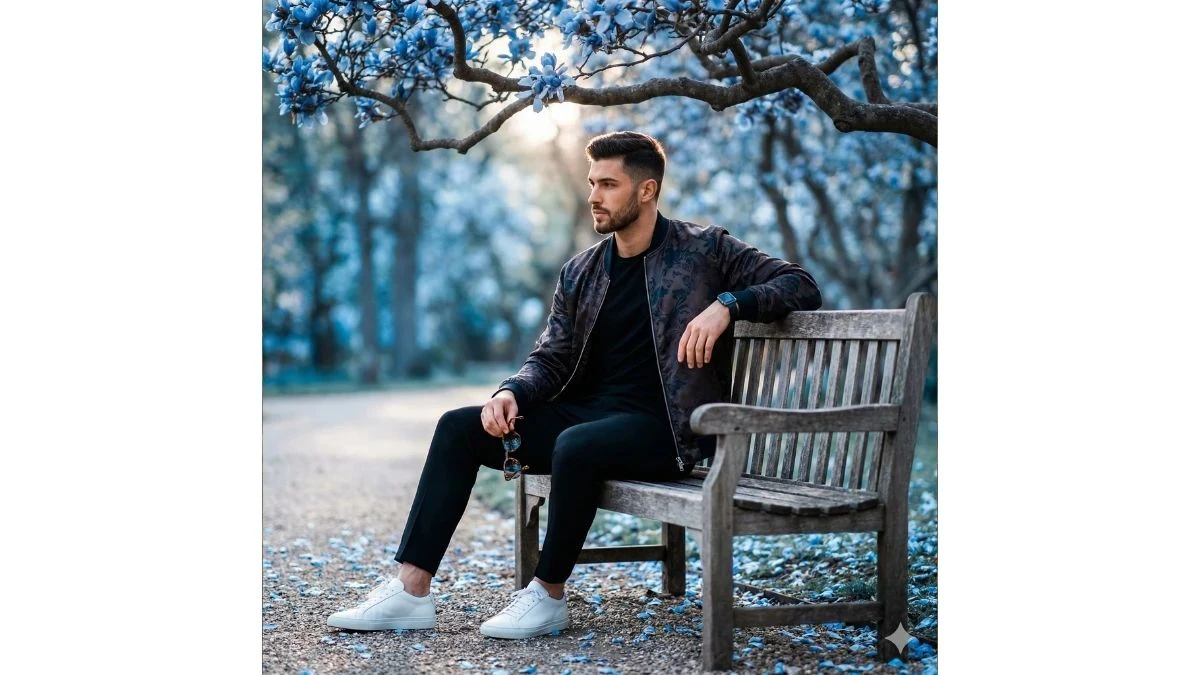
Use This:
"Create a luxury cinematic park portrait of a stylish young man using the exact face, hairstyle, beard shape, skin tone, and facial structure from the uploaded reference image (do not alter identity). He is seated on a classic wooden park bench beneath branches filled with vibrant blue blossoms, with soft petals scattered on the ground around him. He wears a patterned designer jacket over a black t-shirt, tailored black trousers, luxury sneakers, and a modern smartwatch, holding sunglasses loosely in one hand while resting the other arm along the bench backrest, projecting effortless confidence. Lighting is soft diffused daylight with cinematic rim light, creating depth and subtle glow around his hair and shoulders. Background features dreamy bokeh with cool-toned highlights and blurred trees for depth. Color grading: cool blues and warm skin tones, high-end editorial contrast, soft shadows, premium fashion aesthetic. Camera framing: waist-up to full-body, slight cinematic angle, portrait orientation (4:5). Quality: Ultra-realistic 8K, sharp eye focus, fabric texture detail, magazine-style finish. Mood: elegant, calm, fashion-forward, cinematic presence."
Best for: Fashion reels, aesthetic branding, viral cinematic edits
Image Credit: Google Gemini AI
How to Create Trendy HD Portraits with Google Gemini AI?
According to Google's official Gemini AI documentation, advanced prompt engineering techniques can dramatically improve the quality and realism of AI-generated portraits. Follow these simple steps to create stunning viral-worthy photos:
1. Upload a High-Quality Reference Photo
- Use a clear, front-facing photo with good lighting and a simple background
- Ensure your face is clearly visible with sharp details
- Natural lighting works best for optimal AI processing
2. Launch Google Gemini AI
- Open Google Gemini AI through the web or mobile app
- Sign in to your account to access image generation features
3. Copy and Paste Your Chosen Prompt
- Select one prompt from the list above that matches your desired style
- Copy the entire prompt text exactly as written
- Paste it into Google Gemini AI's prompt field
4. Customize Small Details (Optional)
- Add personal touches like specific outfit colors
- Adjust background preferences if needed
- Mention any specific accessories you want to include
5. Generate Your Portrait
- Click the generate button and wait for AI processing
- Review the generated options
- Choose the sharpest, most realistic HD version
6. Optimize for Social Media
- Crop your image to 4:5 for Instagram feed posts
- Use 9:16 ratio for Reels, Shorts, and TikTok
- Adjust brightness and contrast if needed
7. Post and Go Viral
- Share your portrait with a captivating caption
- Use trending hashtags relevant to your style
- Engage with comments to boost reach
Related Articles
Disclaimer : The above information is for general informational purposes only. All information on the Site is provided in good faith, however we make no representation or warranty of any kind, express or implied, regarding the accuracy, adequacy, validity, reliability, availability or completeness of any information on the Site.