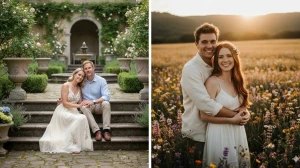
Best 12 Unique Hunyuan Image 3.0 AI Photo Editing Prompts to Create Stylish 8K HD Portraits
Create stunning, ultra-realistic 8K HD portraits with these 12 unique Hunyuan Image 3.0 AI photo editing prompts, designed for modern, stylish, and eye-catching results. Perfect for social media, profile photos, and creative edits that deliver professional-quality visuals instantly.
by James
Published Jan 02, 2026 | Updated Jan 02, 2026 | 📖 10 min read
Article continues below advertisement
On This Page

Quick Summary
✅ 12 professional AI prompts for ultra-realistic 8K HD portraits
✅ Works with Hunyuan Image 3.0 - free and powerful
✅ Create cinematic model-quality photos from simple selfies
✅ 100% face preservation - keeps natural features intact
✅ Perfect for boys, girls, influencers, and content creators
Best 12 Unique Hunyuan Image 3.0 AI Photo Editing Prompts to Create Stylish 8K HD Portraits
Hunyuan Image 3.0 is revolutionizing portrait photography—no expensive cameras, no professional lighting setups, and no advanced editing skills required.
Through the power of precision prompt engineering, anyone can now transform ordinary selfies into stunning, ultra-realistic 8K HD portraits that rival professional studio photography.
Whether you're a social media influencer building your personal brand, a content creator seeking magazine-quality visuals, or simply someone who wants stunning profile pictures that capture attention, Hunyuan Image 3.0's advanced AI technology delivers exceptional realism, natural skin texture, and cinematic lighting that truly stands out.
In this article, we'll explore 12 expertly crafted prompts designed specifically for boys and girls that can instantly elevate any portrait into a stylish, professional-grade image. From perfect natural lighting and realistic skin tones to dynamic compositions and fashionable backgrounds—every image gains that polished, high-end aesthetic that makes you look like a professional model.
Prompt 1: Cinematic Saree Window Portrait with Emotional Lighting
Use This:
"Create a cinematic, emotional night portrait of a woman standing in a side pose near a window, with soft, dim light highlighting her face. Her open, wavy hair flows gently in the wind, featuring a brown-to-blonde gradient with a few strands across her face. She wears bold makeup with dark red lipstick and an elegant red plain saree paired with a sleeveless blouse featuring heavy diamond-work embroidery. Her hands are crossed near her face, showcasing red and gold bangles, as she looks forward with a soft, confident smile. Blurred city lights glow in the background, while her facial features remain exactly the same."
Best For: Cinematic fashion portraits, elegant saree edits, emotional AI photo transformation, and traditional Indian fashion photography.
Prompt 2: Ultra-Realistic Half-Face Beauty Portrait with Glam Makeup
Use This:
"Create an ultra-realistic close-up portrait showing only the right half of her face, with facial features preserved exactly. She has light green-hazel eyes, soft brown glam makeup, peachy blush, defined brows, and glossy pink lips with natural glowing skin. Her open, slightly messy straight hair falls across her face, with a leopard-print scarf subtly visible. She holds her hand near her face, highlighting silver statement rings. Minimal textured background, gentle sunlight shadows, shallow depth of field, and cinematic focus on the eyes."
Best For: Beauty close-ups, high-end portrait retouching, luxury AI photo edits, and professional makeup photography.
Prompt 3: Sunlit Aesthetic Selfie Portrait with Natural Shadows
Use This:
"Edit the photo without changing her face, keeping all facial features exactly the same. Create a close-up selfie of a young woman with very long, layered brown hair in an aesthetic room. Strong morning sunlight casts clear, directional shadows across her face and hair. She wears a floral burgundy puff-sleeve top, a gold name necklace reading 'Farah,' and a floral hairpin. Natural tones, soft realism, and bright sunlit contrast complete the look."
Best For: Natural-light selfies, aesthetic room portraits, realistic AI photo edits, and Instagram-worthy lifestyle shots.
Prompt 4: Cute Winter Aesthetic Portrait with Cozy Vibes
Use This:
"Convert the uploaded image into a cozy winter portrait while keeping her facial features exactly the same. She wears a light baby-pink ribbed winter sweater with long sleeves and thumbholes. Her long brown hair falls in soft waves, styled with small colorful clips. She makes a cute, playful expression with puckered lips, gently poking her cheek with one finger. Soft natural makeup and warm outdoor lighting against a textured stone wall create a cozy aesthetic."
Best For: Cute aesthetic edits, winter portraits, soft lifestyle AI photos, and seasonal content creation.
Prompt 5: Moody Burgundy Night Portrait with Elegant Fashion
Use This:
"Use the uploaded photo as a reference and keep her face exactly the same in a 4:5 close-up portrait. She appears in her 20s with long, dark straight hair and one-sided bangs, glowing softly in a dimly lit room at night. She wears a deep burgundy ribbed knit two-piece outfit with a sleeveless high-neck crop top featuring side tie details and matching high-waisted pants. Her makeup is natural and subtle with deep pink lips. Soft ambient lighting creates an elegant, moody atmosphere."
Best For: Night-time fashion portraits, moody aesthetic edits, cinematic lifestyle visuals, and evening content photography.
Prompt 6: Dreamy Tilted Cinematic Portrait with Dramatic Angle
Use This:
"Create a hyper-realistic half-body portrait of the young woman from the uploaded image, keeping her facial features exactly the same. Capture her at a dramatic 45-degree tilted angle with very long, voluminous brown hair flowing freely, soft strands crossing her face. Her long curled eyelashes and gentle, deep-red lips add a dreamy, sweet expression. She is dressed in a modern, fashionable outfit. Cinematic lighting and refined realism complete the portrait."
Best For: Fashion editorials, dreamy cinematic edits, premium AI portrait transformations, and magazine-style photography.
Prompt 7: Modern Indoor Style Portrait with Confident Attitude (For Boys)
Use This:
"A handsome man poses indoors, leaning casually against a white shutter wall with a confident, natural attitude. He wears a crisp white zip-detailed jacket over a black T-shirt, paired with white pants. His voluminous, slightly messy hair is styled upward for a trendy look. One hand rests in his pocket while the other touches his hair, creating a relaxed pose. Soft bokeh lights in the background give a stylish, mall-like ambiance, with face and hair matching the reference exactly."
Best For: Men's fashion portraits, lifestyle edits, clean cinematic indoor shots, and urban style photography.
Prompt 8: Airport Cinematic Fashion Portrait with Travel Vibes (For Boys)
Use This:
"Create an ultra-realistic cinematic HD portrait of a young handsome boy with a 100% face and hair match, no alterations, in 16K quality. He stands confidently in front of Indira Gandhi International Airport with an IndiGo plane and passengers boarding in the background. He holds a stylish trolley bag in his right hand and a light pink formal coat in his left. Outfit includes a light pink formal pant, black formal shirt, silver watch, and black Chelsea shoes. High sharpness, premium realism, and cinematic clarity complete the scene."
Best For: Travel fashion portraits, airport lifestyle edits, high-end cinematic AI visuals, and luxury travel content.
Prompt 9: Casual Ice Cream Café Portrait with Lifestyle Aesthetic (For Boys)
Use This:
"Create a photorealistic 9:16 image using the uploaded photo as reference, keeping the man's face exactly the same with no alterations. He wears a white T-shirt with white jeans and a black open shirt, styled casually. Accessories include a black watch. The scene is set at an ice cream shop table with cups of chocolate and strawberry ice cream placed in front. Natural lighting, clean realism, and sharp details complete the look."
Best For: Casual lifestyle portraits, café aesthetics, realistic social-media edits, and food content photography.
Prompt 10: Minimalist Mirror Corridor Portrait with Modern Fashion (For Boys)
Use This:
"Create a cinematic portrait of a young man leaning casually against a wooden-paneled wall in a modern minimalist corridor, with a full-height mirror reflecting him clearly. He wears a black high-neck turtleneck, black tailored trousers, black Chelsea boots, and a white-and-black striped blazer. His pose is relaxed with one leg crossed and hands loosely clasped, showing calm confidence. A black watch completes the look as he gazes to the side. Warm indoor lighting and clean composition enhance the refined aesthetic, with body and face unchanged."
Best For: Modern fashion portraits, minimalist aesthetic edits, cinematic lifestyle visuals, and architectural photography.
Prompt 11: Mirror Selfie Minimalist Corridor with Streetwear Style (For Boys)
Use This:
"Create a modern minimalist mirror-selfie portrait of a young man leaning casually against a wooden-paneled wall in a restroom corridor, with a full-height mirror reflecting him clearly. He wears a cream long-sleeve Henley shirt, black wide-leg trousers, and black-and-white Air Jordan Retro 1 High sneakers. His pose is relaxed with one leg crossed, a calm and confident expression, as he looks at his phone. A black watch is visible as he holds an iPhone in his right hand for a mirror selfie. Warm indoor lighting enhances the clean, stylish aesthetic, with body and face unchanged."
Best For: Mirror selfies, minimalist fashion edits, modern lifestyle portraits, and streetwear photography.
Prompt 12: Dubai Mall Editorial Street Portrait with Luxury Fashion (For Boys)
Use This:
"Create a stylish modern portrait of a young man using the uploaded photo, keeping his face and hair 100% unchanged. He wears a loose poly-blend navy blue shirt with the top button down, white jeans, and navy-blue-and-white Air Jordan Retro 1 High sneakers. A single watch accessory, black sunglasses, and one hand in his pocket complete the contemporary fashion vibe. The background is the Dubai Mall, styled clean and upscale. Cinematic lighting, ultra-detailed textures, and a polished editorial look finish the image."
Best For: Editorial fashion portraits, luxury mall lifestyle edits, modern street-style visuals, and travel content.
How to Create Stylish 8K HD Portraits with Hunyuan Image 3.0
According to Hunyuan Image 3.0's official documentation, advanced prompt engineering techniques can dramatically improve the quality and realism of AI-generated portraits. Follow these steps to create stunning professional-grade images:
1. Launch Hunyuan Image 3.0
- Open Hunyuan Image 3.0 through the web platform or mobile app, and sign in to your account.
2. Choose Your Creation Mode
- Select Text to Image for creating a completely AI-generated portrait from scratch.
- Choose Image to Image or Edit mode if you want to upload an existing selfie for transformation.
3. Upload a High-Quality Portrait (If Using Image Mode)
- Select a clear, well-lit selfie or portrait photo with sharp details, natural lighting, and a simple background for best results.
- Ensure the face is clearly visible and the image resolution is at least 1080p.
4. Paste Your Chosen Prompt
- In the prompt field, copy and paste one of the 12 unique prompts from this guide.
- Always include the phrase: "keep the real face exactly the same, create ultra-realistic 8K HD cinematic portrait with natural skin and detailed lighting."
5. Customize Additional Details
- Add specific modifications to personalize your portrait:
- Outfit: "white formal shirt," "burgundy sweater," "black blazer"
- Setting: "indoor mall," "airport terminal," "café background"
- Mood: "confident," "dreamy," "relaxed," "professional"
6. Set Image Preferences
- Choose your desired settings:
- Aspect Ratio: 3:4 for Instagram posts, 9:16 for stories and reels
- Resolution: Select the highest available (8K or 16K for premium quality)
- Quality Level: Maximum or Ultra for best results
7. Generate and Review
- Click Generate to create your portrait. Hunyuan Image 3.0 will typically provide multiple variations.
- Review all generated options and select the one that best matches your vision.
8. Fine-Tune If Needed
- If the result isn't perfect, adjust specific words in your prompt (change lighting, background, or outfit details) and regenerate.
- Experiment with different variations until you achieve the desired look.
9. Download and Share
- Download the final high-resolution 8K HD portrait to your device.
- Crop or resize it to fit your platform requirements (square for profile pictures, 4:5 for portfolio posts).
- Share your professional-quality portrait on Instagram, LinkedIn, Facebook, or use it for prints and personal branding.
Related Articles
Disclaimer : The above information is for general informational purposes only. All information on the Site is provided in good faith, however we make no representation or warranty of any kind, express or implied, regarding the accuracy, adequacy, validity, reliability, availability or completeness of any information on the Site.