Trending: 5 Gemini AI Prompts to Turn Anyone Into a Professional Model (2025 Guide)
Discover the 5 viral Gemini AI prompts transforming ordinary photos into high-fashion model portraits in 2025. Free guide with DSLR-quality results, step-by-step instructions, and pro tips for influencers and content creators.
by James
Published Nov 10, 2025 | Updated Nov 10, 2025 | 📖 6 min read
Article continues below advertisement
On This Page
📌 Quick Summary
- ✅ 5 professional AI prompts for DSLR-quality model photos
- ✅ Works with Gemini AI, ChatGPT, and Midjourney
- ✅ Create high-fashion editorial portraits in seconds
- ✅ 100% free to use - no photo editing skills needed
- ✅ Perfect for influencers, content creators, and professionals
🤖 Best 5 Gemini AI Prompts to Transform Photos Into Professional Model Portraits
Gemini AI is transforming the world of model photography no expensive photo shoots, no specialized gear, and no complicated editing software required.
Through the power of advanced prompt engineering, anyone can now turn ordinary photos into stunning, professional-grade model portraits that look like they were captured in a high-end studio.
Whether you're an aspiring influencer, a content creator striving for magazine-quality visuals, or simply looking for a polished LinkedIn headshot that radiates confidence, Gemini AI's intelligent editing tools and model photo prompts deliver exceptional realism, cinematic depth, and creative precision.
In this article, we'll explore expertly designed prompts that can instantly elevate any subject into a confident, stylish model. From perfect lighting and smooth skin tones to striking compositions and dynamic backgrounds every image gains that bold, professional edge that truly stands out.
If you're interested in exploring more AI-powered creative tools, check out our comprehensive guide on top AI tools transforming content creation in 2025.
🎭 Prompt 1: High-Fashion Editorial Portrait with Dramatic Lighting
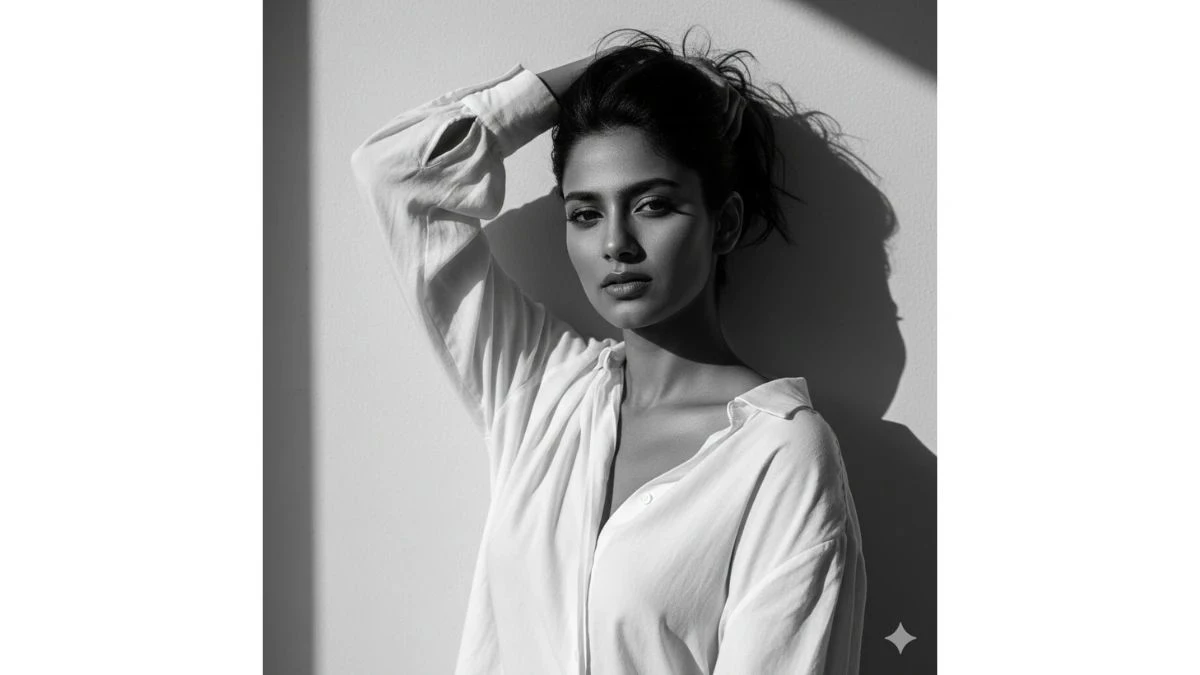
Use This:
"A black and white high-fashion editorial portrait of a woman, keeping her real face exactly as in the reference photo (no edits, same features, no retouching). She is wearing a loose white blouse. Her pose is bold and expressive, with one arm raised to hold her hair up, partially covering her face. Her gaze is intense and directed at the camera, creating a strong and enigmatic aura. The background is a plain minimalist wall with sharp natural daylight casting defined shadows, adding depth and contrast. Lighting is harsh and high-contrast, highlighting her facial contours, sharp cheekbones, and the texture of the hair and fabric. The style should feel raw, dramatic, and artistic. The overall image is high-fashion editorial in monochrome, cinematic, and striking."
Image Credit: Gemini AI
🪙 Prompt 2: Embossed Coin Portrait with Metallic Texture
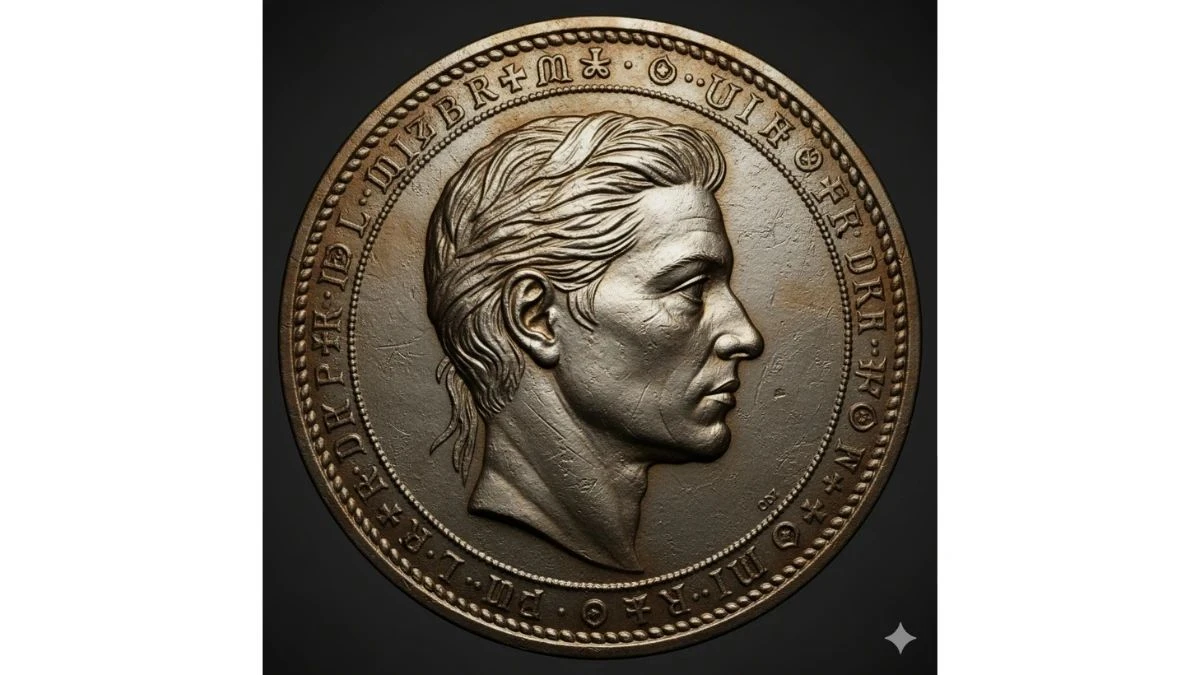
Use This:
"Person's face attached in the image (Do not change the facial features of the person from the uploaded photo. Keep the face of the person 100% accurate from the reference image. Keep the original face of the attached person unchanged and realistic, embossed in profile, crafted with realistic engraved textures and fine relief detailing. The coin surface shows light reflections, scratches, and a metallic sheen. Include subtle inscriptions or symbols around the border to resemble authentic minting. Centered on a dark, minimal background to emphasize the coin's texture and realism."
Image Credit: Gemini AI
🎩 Prompt 3: 1920s Vintage Fashion Portrait with Cinematic Mood
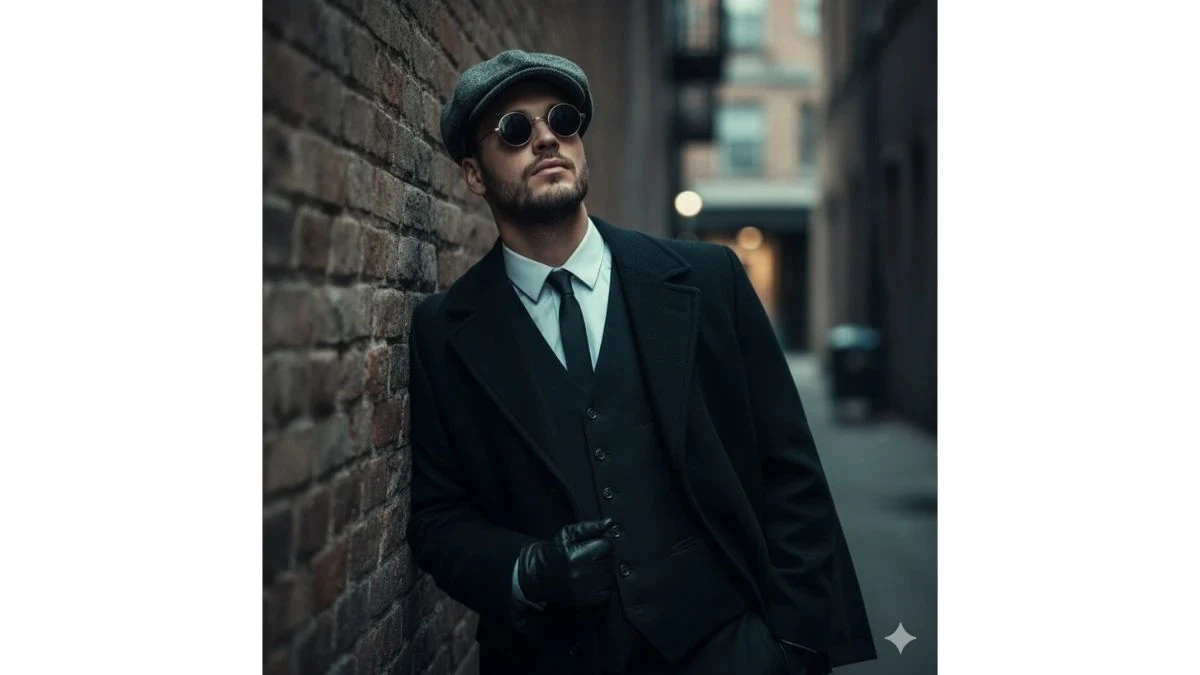
Use This:
"Use 100% face above the uploaded photo. A hyper-realistic, cinematic medium shot of a handsome man in his late 20s with black hair and a black beard, like an uploaded photo, styled in the fashion of the 1920s. He wears a grey tweed newsboy cap, a black waistcoat over a crisp white shirt, a slim black tie, and black leather gloves. A heavy wool overcoat is draped over his shoulder. He leans against a weathered brick wall in a narrow, atmospheric alleyway, looking upwards with a cool, contemplative expression through his round sunglasses. The lighting is moody and dramatic, with cool tones and soft shadows creating a sense of depth and mystery. The photograph is ultra-detailed with sharp focus and a shallow depth of field."
Image Credit: Gemini AI
For more creative AI photography techniques, explore our article on AI photography trends reshaping the industry.
🧸 Prompt 4: 3D Fantasy Scene with Cute Cartoon Monster
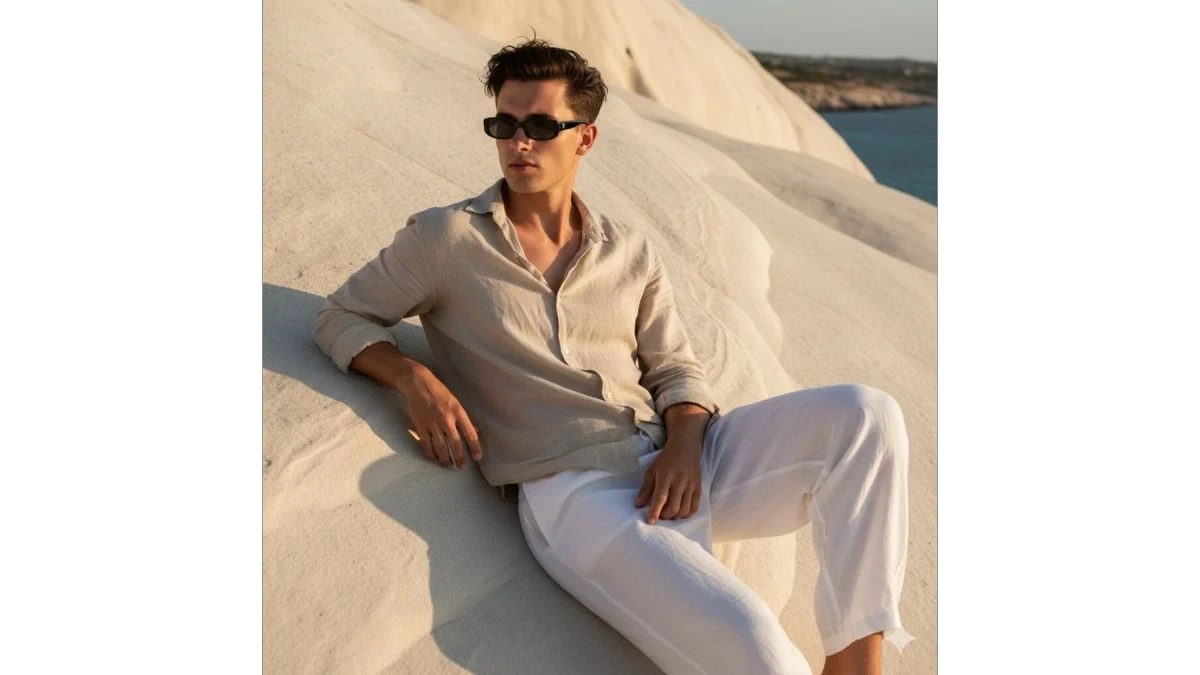
Use This:
"Create an ultra-realistic 3D scene featuring the real, lifelike person (from the reference image) sitting on a cozy bed beside a giant, fluffy, cute cartoon monster. The monster has a soft, rounded 3D design with big expressive eyes, a warm smile, and plush fur that looks huggable and comforting. It is hugging the person gently, creating a heartwarming and adorable moment that blends realism with fantasy. The person appears completely realistic, while the monster retains a stylized 3D cartoon look, emphasizing contrast and charm. The lighting is soft and cozy, with warm tones that make the scene feel intimate and wholesome. The overall mood is cute, friendly, and cinematic, like a moment from a family fantasy film rendered in ultra-realistic 8K detail."
Image Credit: Gemini AI
🌹 Prompt 5: Moody Artistic Portrait with Cinematic Lighting
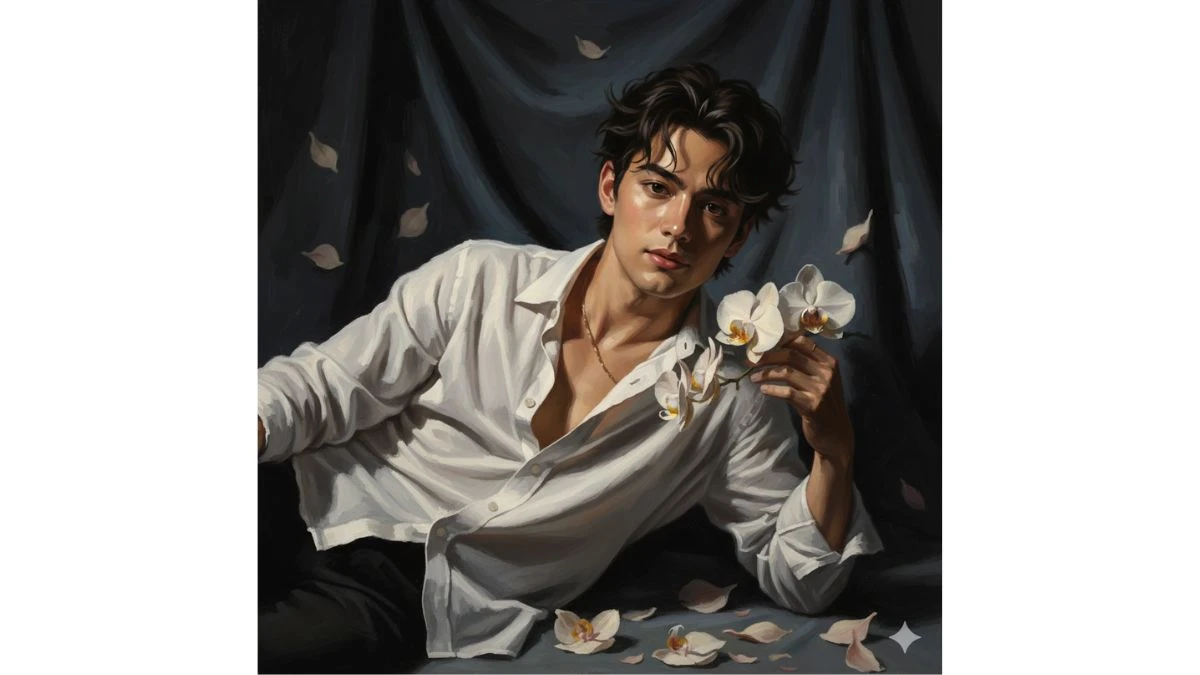
Use This:
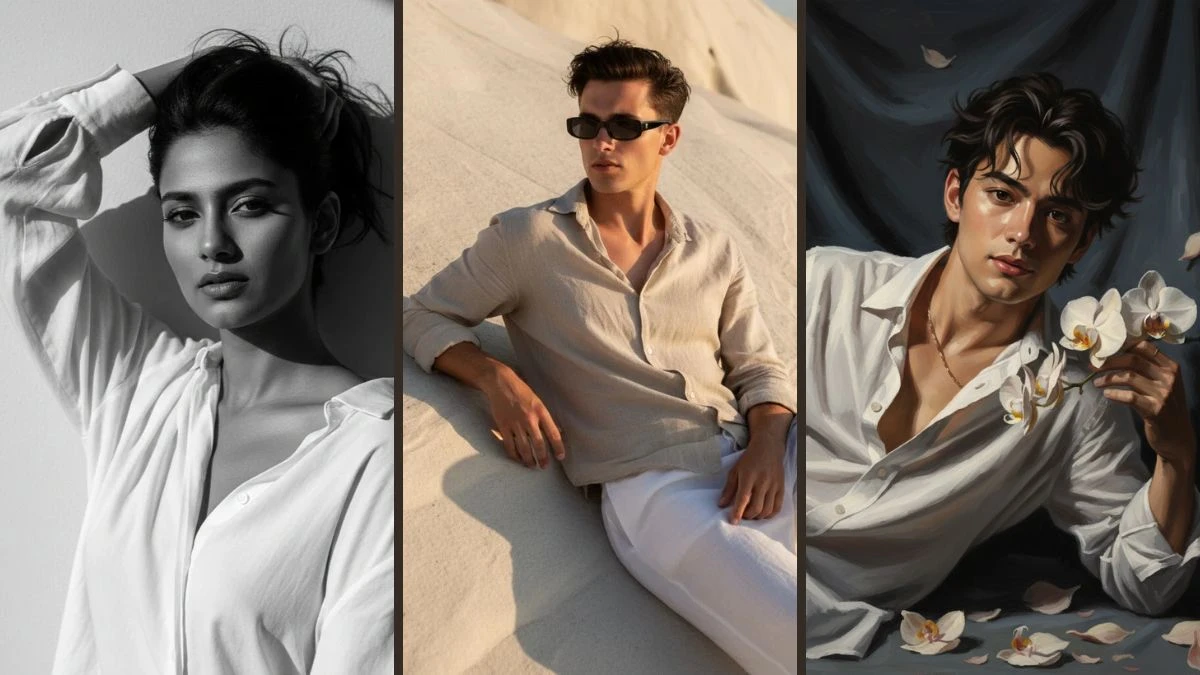
Dramatic portrait: young man, dark messy hair, reclining, gentle gaze at camera. Holds delicate light orchids. Loose white shirt, half-unbuttoned, draped off shoulder, gold chain on chest. Strong warm upper- left light, deep shadows. Dark textured backdrop, draped fabric, scattered petals. Cinematic, painterly, sensual, moody, high-contrast.
Image Credit: Gemini AI
📸 How to Create Professional Model Images with Gemini AI (Step-by-Step Guide)
According to Google's official Gemini API documentation, advanced prompt engineering techniques can dramatically improve the quality and realism of AI-generated images. Follow these steps to create stunning professional model portraits:
1. Launch Gemini AI
- Open Gemini AI's image editor through the web or mobile app, and sign in to your account.
2. Upload a High-Quality Portrait
- Select a clear, well-lit selfie or half-body photo. Ensure sharp details, natural lighting, and a simple background for best results.
3. Enter a Model Prompt
- In the prompt field, paste or type something like:
- "Ultra-realistic 8K portrait of a confident man/woman in modern fashion, cinematic lighting, professional background blur, perfect skin texture."
4. Refine the Details
- Enhance your prompt with specifics such as:
- Pose: "crossed arms, neutral expression"
- Outfit: "designer suit, minimal jewelry"
- Vibe: "editorial, cool, professional"
5. Set Style Preferences
- Choose your desired options for:
- Resolution: 8K (recommended)
- Mood: cinematic, editorial, or soft light
- Background: studio, runway, or city setting
6. Generate and Fine-Tune
- Click Generate to create your image. Review the result, then adjust your prompt or style settings to achieve the perfect look.
7. Save and Share
- Download the final image, crop it to fit your platform (square for profiles, 4:5 for portfolios), and share your professional model portrait anywhere you like.
💡 Pro Tips for Better AI Model Photos
To maximize the quality of your AI-generated model portraits, consider these expert tips:
- Start with high-resolution source images - At least 1080p for best results
- Use natural lighting in your reference photo - Avoid harsh shadows or overexposed areas
- Be specific with your prompts - Include details about lighting, mood, and composition
- Experiment with different styles - Try editorial, commercial, or artistic approaches
- Iterate and refine - Generate multiple versions and pick the best result
Looking to monetize your AI-generated content? Learn more in our guide on how creators are earning with AI content in 2025.
🎯 Best Use Cases for AI Model Photos
These Gemini AI prompts are perfect for various professional and creative applications:
- Social Media Influencers - Create stunning Instagram, TikTok, and YouTube thumbnails
- Professional Headshots - LinkedIn profiles, business cards, and corporate websites
- Content Creators - Blog headers, course materials, and promotional content
- E-commerce - Product modeling and fashion lookbooks
- Portfolio Building - Aspiring models and photographers
- Personal Branding - Coaches, consultants, and entrepreneurs
For more insights on building your personal brand with AI, check out our article on AI-powered personal branding strategies.
Related Articles
Disclaimer : The above information is for general informational purposes only. All information on the Site is provided in good faith, however we make no representation or warranty of any kind, express or implied, regarding the accuracy, adequacy, validity, reliability, availability or completeness of any information on the Site.