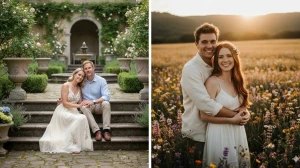
8 Google Gemini AI Photo Editing Prompts for Boys to Create Viral Golden Hour Urban Streetwear Portraits
Discover 8 Google Gemini AI photo editing prompts for boys to create golden hour urban streetwear portraits that look cinematic and go viral on Instagram. Copy-paste ready prompts designed for realistic lighting, stylish outfits, and scroll-stopping social media photos.
by James
Published Jan 14, 2026 | Updated Jan 14, 2026 | 📖 8 min read
Article continues below advertisement
On This Page
Quick Summary
- ✅ 8 professional AI photo editing prompts for viral streetwear portraits
- ✅ Works with Google Gemini AI - no expensive cameras needed
- ✅ Create Instagram-trending golden hour edits in seconds
- ✅ 100% free to use - transform selfies into DSLR-quality images
- ✅ Perfect for influencers, content creators, and fashion enthusiasts
Best 8 Google Gemini AI Prompts to Transform Selfies Into Viral Urban Streetwear Portraits
Google Gemini AI is revolutionizing urban photography—no professional equipment, no expensive photo shoots, and no complex editing software required.
Through the power of advanced prompt engineering, anyone can now turn ordinary selfies into stunning, Instagram-viral golden hour portraits that look like they were shot by a professional fashion photographer on a city rooftop.
Whether you're a streetwear enthusiast, a content creator aiming for that coveted viral aesthetic, or simply looking to upgrade your social media presence with cinematic urban portraits, Google Gemini AI's intelligent editing capabilities deliver exceptional realism, dramatic lighting, and that signature golden hour glow that makes portraits pop.
In this article, we'll explore expertly designed prompts that can instantly transform any boy's selfie into a confident, stylish streetwear portrait. From warm sunset backlighting and sharp fabric textures to moody urban backgrounds and cinematic depth—every image gains that bold, professional edge that drives engagement and goes viral.
If you're interested in exploring more AI-powered creative tools, check out our comprehensive guide on top AI tools transforming content creation in 2025.
Prompt 1: Golden Glow Streetwear King
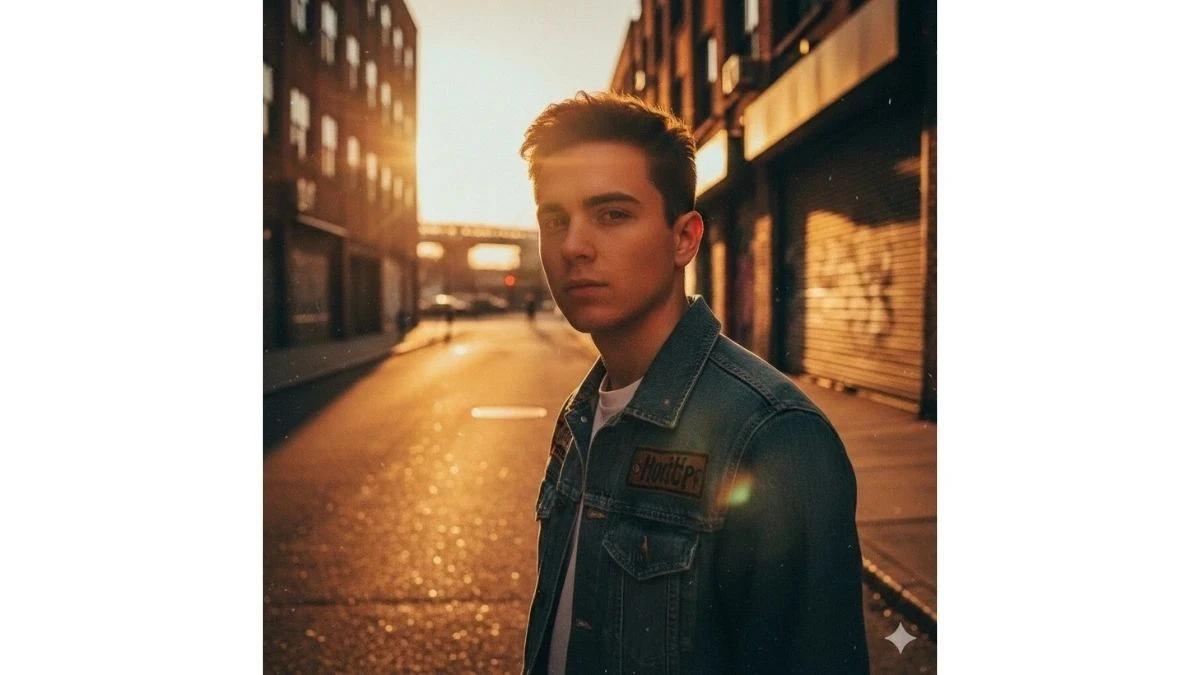
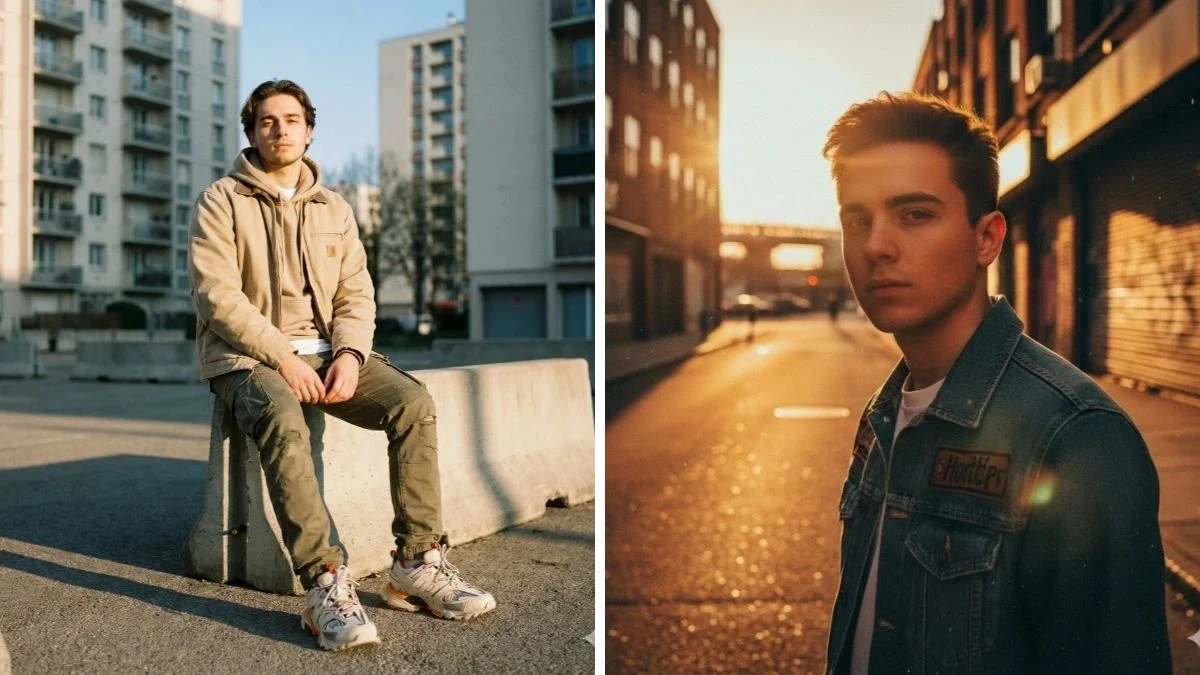
Use This:
"Transform the portrait of a teenage boy in urban streetwear into a stunning golden hour masterpiece. Enhance warm sunlight hitting the subject's face, create dramatic long shadows, deep saturation, and subtle lens flare. Add a soft cinematic grain, boost contrast around the jacket texture, and maintain crisp details in the street background. Emulate trending Instagram street portrait aesthetics with ambient bokeh and slightly muted highlights."
Best for: Streetwear influencer portraits, Instagram feed posts
Image Credit: Google Gemini AI
Prompt 2: Golden Hour Urban Streetwear Portrait – Cinematic Edit
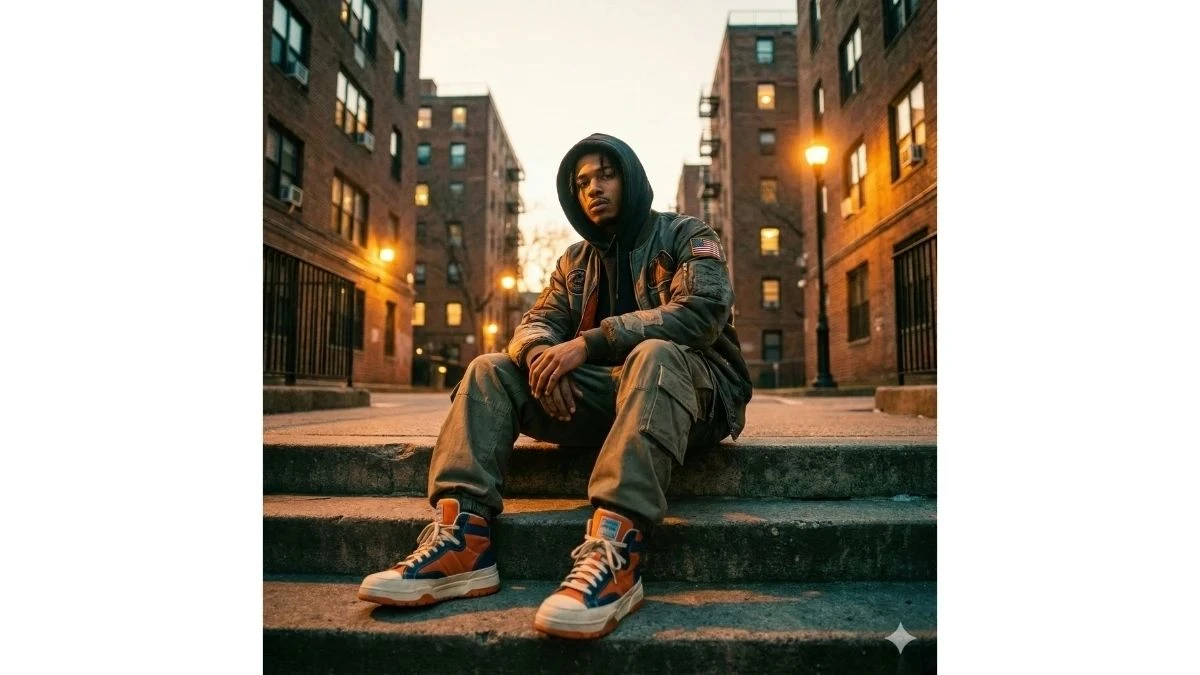
Use This:
"A stylish young man in modern urban streetwear sitting confidently on concrete steps in a dense city housing complex during golden hour. He wears a layered outfit featuring a hooded sweatshirt under a premium street-style jacket with subtle patches, relaxed-fit cargo pants, and high-top sneakers with bold contrast colors. The camera angle is low and slightly wide, emphasizing attitude and presence. Warm golden sunlight from street lamps and the setting sky illuminates his face and outfit, creating soft highlights and long shadows. The background shows tall, tightly packed apartment buildings with glowing windows, adding depth and real city atmosphere. Cinematic lighting with warm orange and amber tones, soft teal shadows, shallow depth of field, sharp focus on eyes and outfit textures, realistic skin tones, subtle film grain, natural color grading, and Instagram-trending urban aesthetic. Ultra-realistic, high-detail, DSLR-quality look, crisp fabric textures, moody yet stylish vibe, 4K resolution, professional fashion photography style."
Best for: Instagram streetwear portraits, fashion creators, cinematic urban edits, viral photo posts
Image Credit: Google Gemini AI
Prompt 3: Golden Hour Concrete Steps Attitude
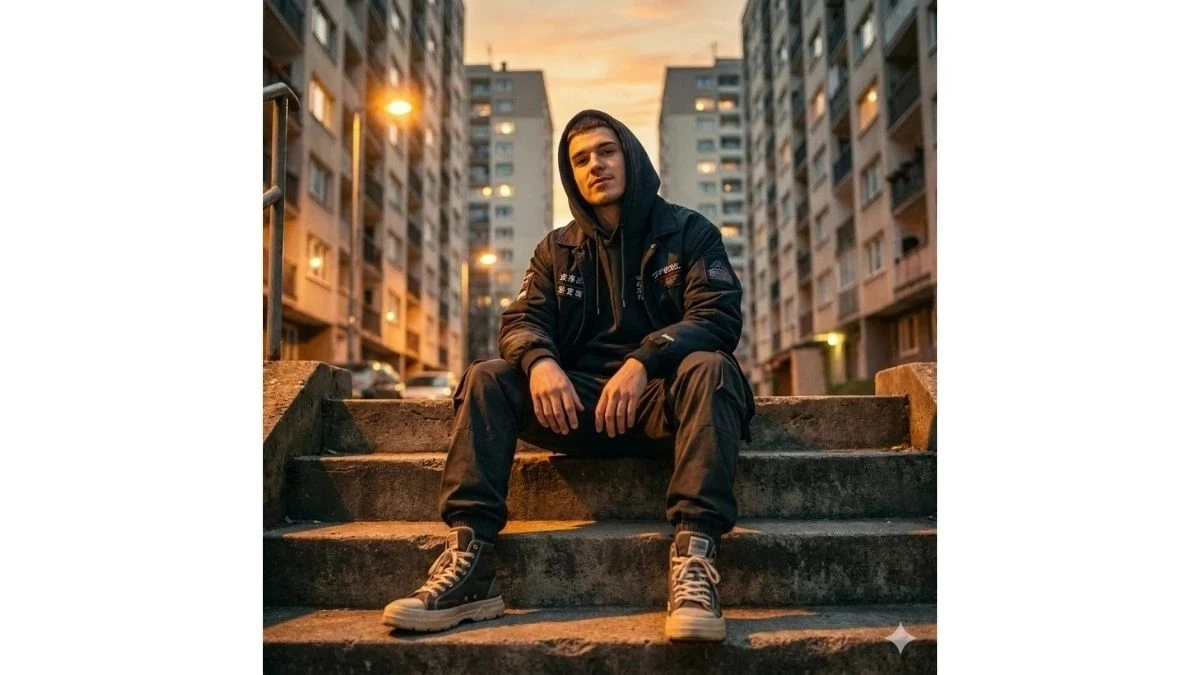
Use This:
"A stylish young man sitting confidently on raw concrete steps inside a dense urban housing complex during golden hour. He wears a hooded sweatshirt layered under a premium streetwear jacket with minimal embroidered patches, relaxed cargo pants, and bold high-top sneakers. Shot from a low, slightly wide angle to enhance dominance and attitude. Warm golden sunlight from the setting sun and street lamps creates long shadows, glowing highlights on the face, and cinematic depth. Tall apartment buildings with softly lit windows fill the background. Ultra-realistic DSLR look, shallow depth of field, crisp fabric textures, natural skin tones, subtle film grain, Instagram-trending urban vibe, 4K quality."
Best for: Reels, streetwear branding posts, attitude shots
Image Credit: Google Gemini AI
Prompt 4: Urban Alley Golden Glow Portrait

Use This:
"A confident young man standing in a narrow city alley at golden hour, surrounded by textured concrete walls and fire escapes. He wears a modern oversized street jacket over a hoodie, tapered cargo pants, and clean sneakers. Shot from chest level with a slight tilt for a cinematic feel. Warm amber sunlight spills into the alley, mixing with soft teal shadows. Background fades into a blur with glowing city lights. Sharp focus on eyes and jacket details, realistic skin tones, natural color grading, subtle film grain, high-fashion Instagram street aesthetic, ultra-realistic 4K."
Best for: Fashion reels, lifestyle influencers, moody urban content
Image Credit: Google Gemini AI
For more creative AI photography techniques, explore our article on AI photography trends reshaping the industry.
Prompt 5: Rooftop City Blocks Sunset Style
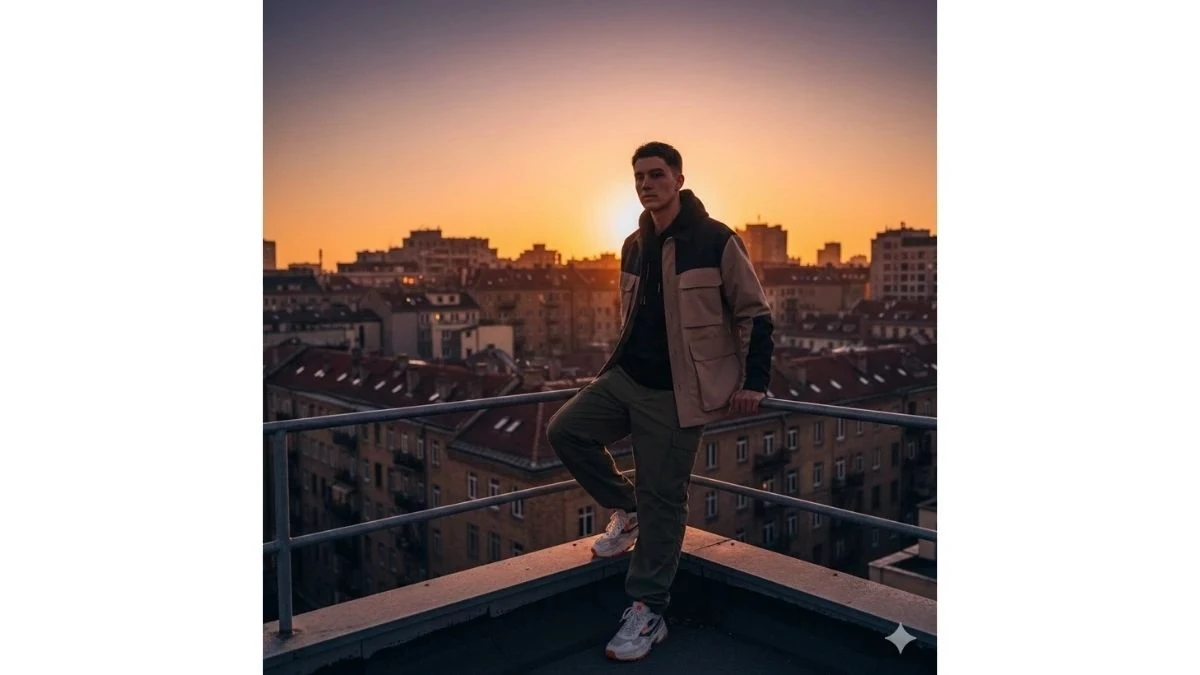
Use This:
"A young man leaning casually against a rooftop railing overlooking tightly packed apartment blocks at sunset. He wears a layered streetwear outfit with a hoodie, structured jacket, loose-fit pants, and statement sneakers. Camera angle slightly low with a wide cinematic frame. Golden hour light wraps around his silhouette while windows glow behind him. Warm orange highlights, soft shadows, shallow depth of field, realistic textures, moody yet clean color grading, DSLR-quality fashion photography, Instagram-viral urban mood."
Best for: Profile photos, aesthetic grids, portfolio content
Image Credit: Google Gemini AI
Prompt 6: Street Lamp Glow Nightfall Look
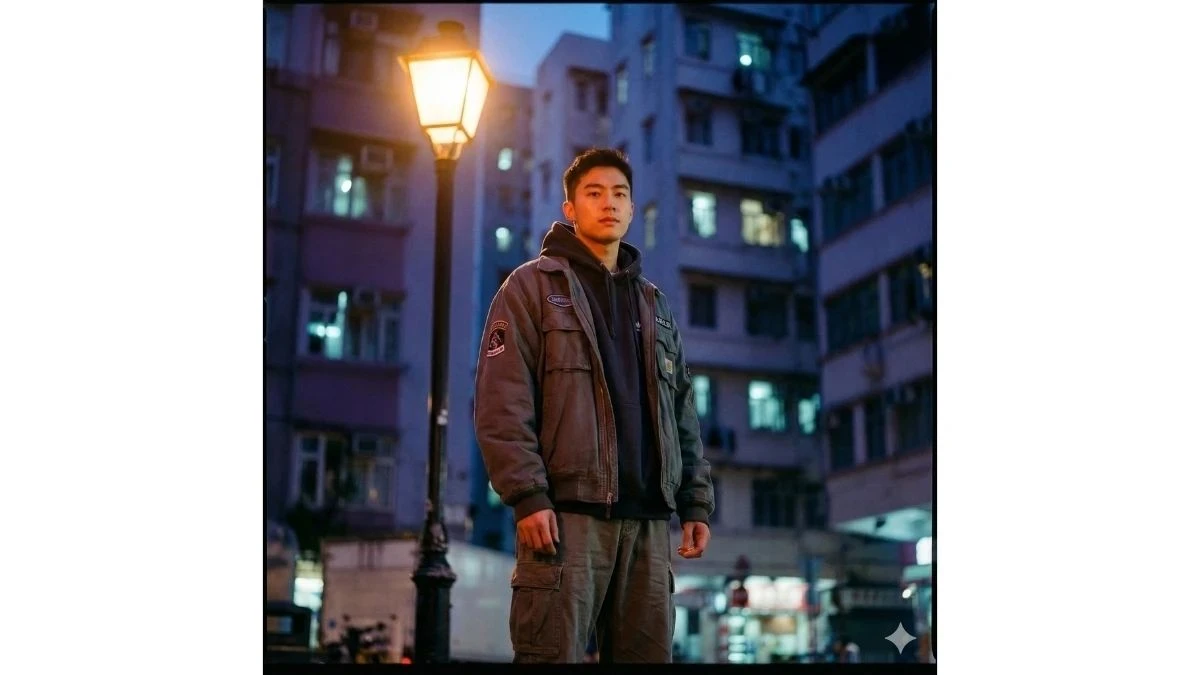
Use This:
"A modern streetwear portrait of a young man standing under a glowing street lamp during late golden hour transitioning into blue hour. He wears a hooded sweatshirt layered with a street-style jacket and cargo pants. Shot at eye level with cinematic framing. Warm lamp light illuminates his face while cool city shadows add contrast. Apartment buildings with scattered lit windows create depth. Ultra-realistic look, sharp clothing textures, shallow depth of field, film-style grain, Instagram-trending urban night aesthetic, 4K clarity."
Best for: Night-style reels, moody posts, blue hour content
Image Credit: Google Gemini AI
Prompt 7: Sitting Pose Urban Confidence Shot
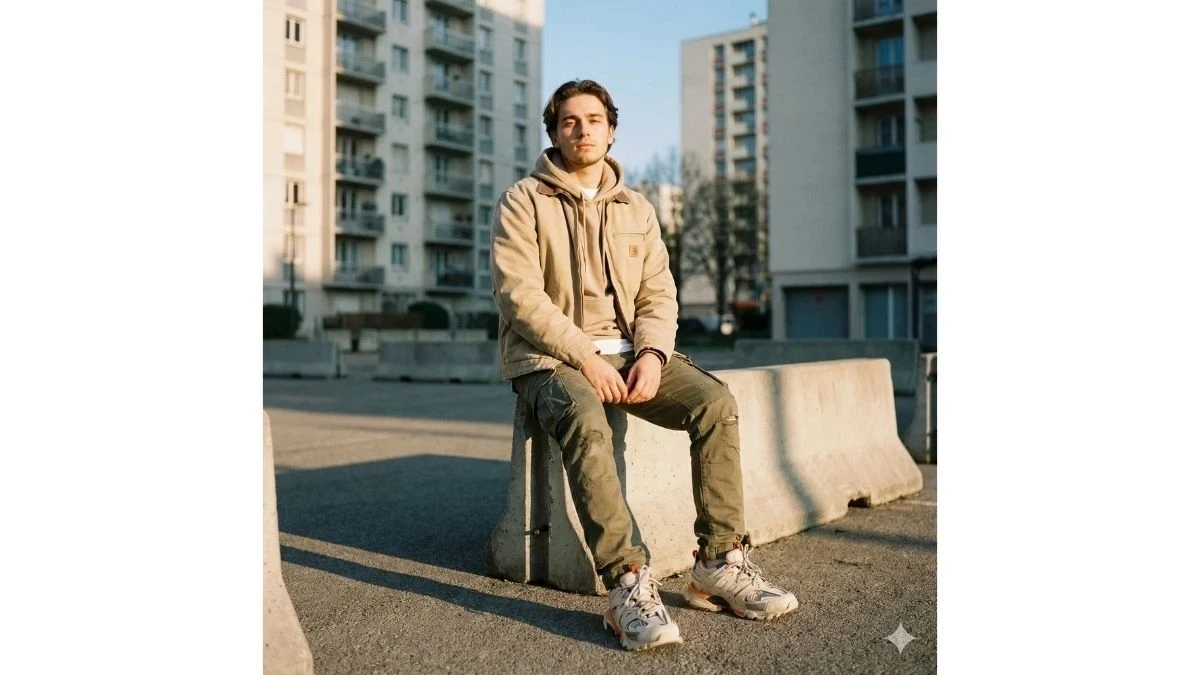
Use This:
"A young man sitting with relaxed confidence on concrete barriers in a city courtyard during golden hour. He wears a premium layered streetwear outfit with neutral tones and bold sneakers. Low camera angle to emphasize presence. Warm sunlight highlights facial features while long shadows stretch across the ground. The background of tall apartment buildings was softly blurred. Cinematic lighting, natural skin tones, crisp fabric details, subtle film grain, DSLR realism, Instagram-ready urban aesthetic."
Best for: Attitude shots, fashion carousels, confidence-building content
Image Credit: Google Gemini AI
Prompt 8: Crosswalk Golden Hour Streetwear
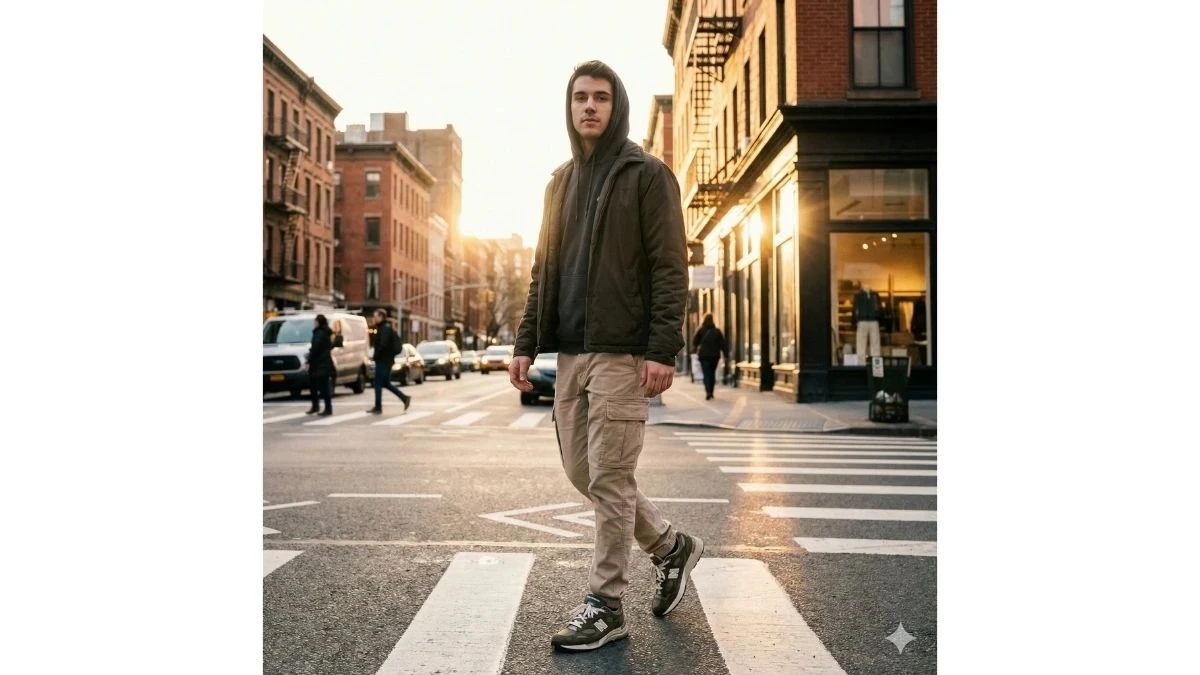
Use This:
"A stylish young man standing mid-crosswalk in a quiet city street during golden hour, wearing a hoodie under a modern street jacket and relaxed cargo pants. Shot from a slightly low angle with motion blur in the background. Warm sunlight reflects off surrounding buildings, creating glowing highlights and cinematic contrast. Sharp focus on subject, realistic textures, shallow depth of field, film-inspired color grading, ultra-realistic DSLR look, Instagram-viral street fashion vibe."
Best for: Dynamic reels, urban storytelling, movement-based content
Image Credit: Google Gemini AI
How to Create Instagram-Viral Golden Hour Streetwear Portraits with Google Gemini AI
According to Google's official Gemini AI documentation, advanced prompt engineering techniques combined with specific lighting and styling instructions can dramatically improve the quality and viral potential of AI-generated urban portraits. Follow these steps to create stunning golden hour streetwear images:
1. Launch Google Gemini AI
- Open Google Gemini AI through the web app or mobile application, and sign in to your Google account.
2. Upload a High-Quality Selfie
- Select a clear, well-lit portrait photo taken in natural daylight. Ensure sharp facial details, minimal shadows, and a simple or urban background for optimal results. Avoid heavily filtered or low-resolution images.
3. Enter a Golden Hour Streetwear Prompt
- In the prompt field, paste or type one of the prompts above, or create your own variation. For example:
- "Ultra-realistic golden hour portrait of a stylish boy in modern streetwear on a city rooftop, warm sunset backlight, soft cinematic glow, Instagram reel cover style."
4. Refine with Personal Details
- Enhance your prompt with specifics to maintain authenticity:
- Age & Look: "teenage boy," "young man in his early 20s"
- Skin Tone: "natural medium skin tone," "fair complexion"
- Hairstyle: "messy dark hair," "fade haircut," "curly top"
- Outfit: "oversized black hoodie, olive cargo pants, white high-tops, silver chain"
- Face Preservation: "Keep 100% facial features from reference image, no reshaping, natural skin texture"
5. Set Style & Lighting Preferences
- Specify your desired aesthetic options:
- Time of Day: golden hour, sunset, blue hour transition
- Lighting: warm backlight, street lamp glow, soft side light with shadows
- Mood: cinematic, moody, confident, viral-ready
- Quality: 4K resolution, DSLR-style, ultra-realistic
6. Generate and Review
- Click Generate to create your image. Review the output carefully—check lighting, facial accuracy, outfit details, and overall composition.
7. Iterate for Perfection
- If needed, adjust your prompt by changing:
- Location: rooftop, alley, crosswalk, concrete steps, courtyard
- Light Direction: "strong backlight with sun flares," "soft warm front light," "mixed street lamp and sunset glow"
- Camera Angle: low angle, eye level, slightly tilted
- Regenerate until you achieve the viral-worthy result you're looking for.
8. Save and Share
- Download the final image in high resolution, crop it to fit your platform (square for Instagram posts, 4:5 for portraits, 9:16 for Reels), and share your professional golden hour streetwear portrait across social media.
Related Articles
Disclaimer : The above information is for general informational purposes only. All information on the Site is provided in good faith, however we make no representation or warranty of any kind, express or implied, regarding the accuracy, adequacy, validity, reliability, availability or completeness of any information on the Site.