10 Gemini AI Photo Editing Prompts for Boys to Design Hyper-Realistic Cinematic Style Portraits
Explore a curated list of Gemini AI portrait prompts that help boys generate ultra-realistic, cinematic visuals with modern lighting, fashion, and editorial-style backgrounds. Designed for social media creators and digital artists who want premium, eye-catching AI portraits that stand out.
by James
Published Feb 04, 2026 | Updated Feb 04, 2026 | 📖 10 min read
Article continues below advertisement
On This Page
- 10 Gemini AI Photo Editing Prompts for Boys to Design Hyper-Realistic Cinematic Style Portraits
- Prompt 1: Beach Resort Nike Style Portrait
- Prompt 2: Golden Halo Editorial Portrait
- Prompt 3: Red Backdrop Editorial Portrait
- Prompt 4: Purple Streetwear Editorial Portrait
- Prompt 5: Golden Hour Lane
- Prompt 6: Smoke & Spotlight
- Prompt 7: Desert Dusk Aesthetic
- Prompt 8: Window Light Drama
- Prompt 9: Rooftop Sunset Edge
- Prompt 10: Smoke Bomb Urban Glow
- How to Create Hyper-Realistic Cinematic Portraits with Gemini AI (Step-by-Step Guide)
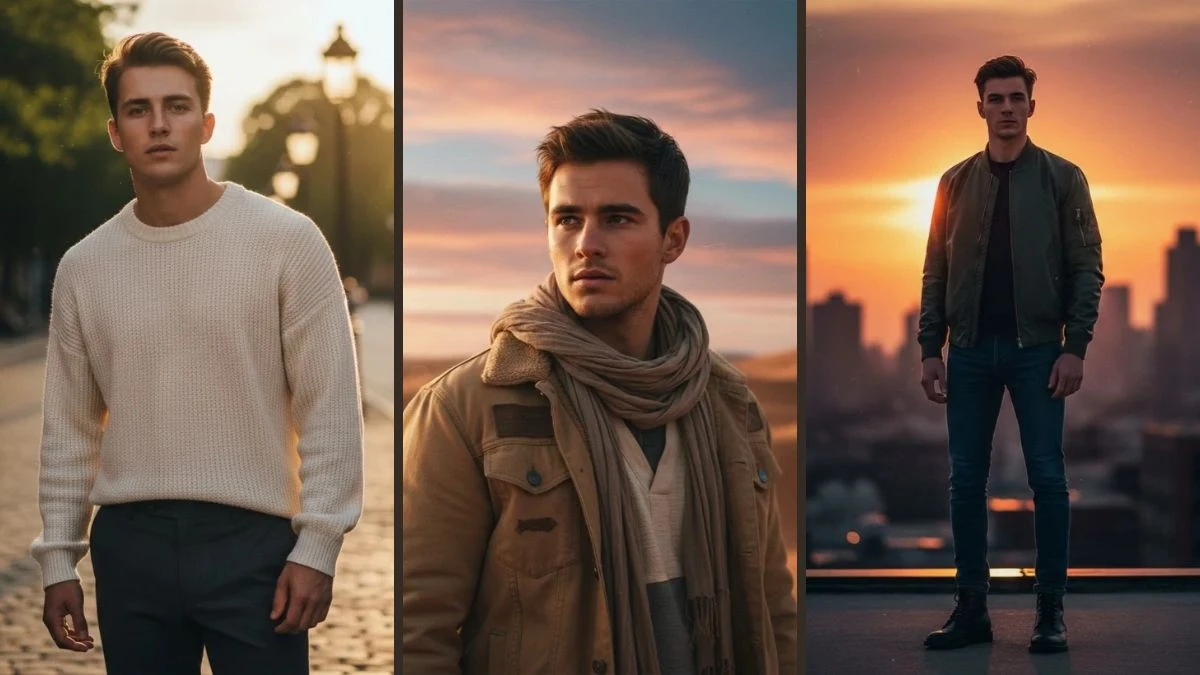
Quick Summary
✅ 10 professional AI prompts for DSLR-quality cinematic portraits for boys
✅ Works with Google Gemini AI - free and easy to use
✅ Create hyper-realistic, stylish movie-style portraits in seconds
✅ 100% free to use - no photo editing skills or expensive camera needed
✅Perfect for Instagram, Reels covers, YouTube thumbnails, and profile photos
10 Gemini AI Photo Editing Prompts for Boys to Design Hyper-Realistic Cinematic Style Portraits
Gemini AI is revolutionizing the way boys create stunning cinematic portraits—no professional photoshoot, no expensive DSLR camera, and no complex editing software required.
Through advanced AI prompt engineering, anyone can now transform ordinary selfies into hyper-realistic, stylish cinematic portraits that look like they were captured by a professional photographer with movie-grade lighting and composition.
Whether you're a content creator looking for eye-catching Reels covers, an aspiring influencer building your Instagram aesthetic, or simply want a polished profile photo that commands attention, Google Gemini AI's intelligent image generation delivers exceptional realism, dramatic depth, and cinematic precision.
In this article, we'll explore 10 expertly designed prompts that can instantly transform any boy's selfie into a confident, stylish cinematic portrait. From perfect DSLR-style lighting and natural skin textures to striking compositions and moody backgrounds—every image gains that bold, professional edge that truly stands out.
If you're interested in exploring more AI-powered creative tools, check out our comprehensive guide on top AI tools transforming content creation in 2025.
Prompt 1: Beach Resort Nike Style Portrait
Use This:
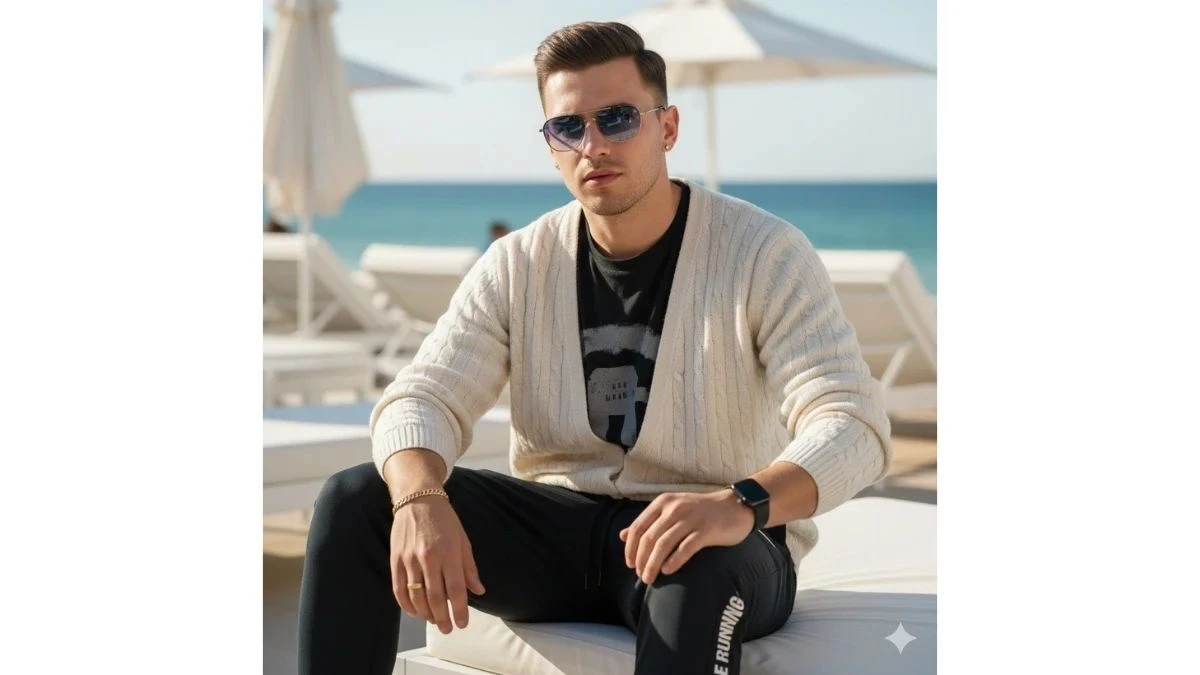
"Create an ultra-realistic 4K cinematic outdoor portrait of the same 25-year-old boy using the uploaded reference image as a 100% exact facial and hairstyle match (do not change face shape, features, skin tone, or hair styling in any way). The subject is sitting confidently in a luxury beach club resort setting under bright, sunny daylight, looking directly toward the camera with a stylish, confident expression. The background features softly blurred white lounge chairs and beach umbrellas, creating a clean, premium vacation atmosphere.
He is wearing a purple knit crew-neck sweater with a bold black "NIKE" text stripe design extending across the chest, paired with jet-black Nike track pants/joggers made from a synthetic polyester-blend material. The joggers include a white Nike Swoosh on the left thigh, vertical "NIKE RUNNING" text on the right leg, an elastic waistband with drawstrings, and functional side pockets.
Accessories include dark metal-framed gradient sunglasses with blue lenses, an Apple Watch on the left wrist, a gold bracelet on the right wrist, small gold stud earrings, and a gold ring on the left ring finger. Use natural sunlight with soft highlights and realistic shadows to enhance skin texture and fabric detail. Apply shallow depth of field, high dynamic range, and premium DSLR-style cinematic color grading for a polished, high-fashion, professional-quality portrait."
Best For: Instagram Reels, AI Face Match, Streetwear Edits, Cinematic Wallpapers
Prompt 2: Golden Halo Editorial Portrait
Use This:
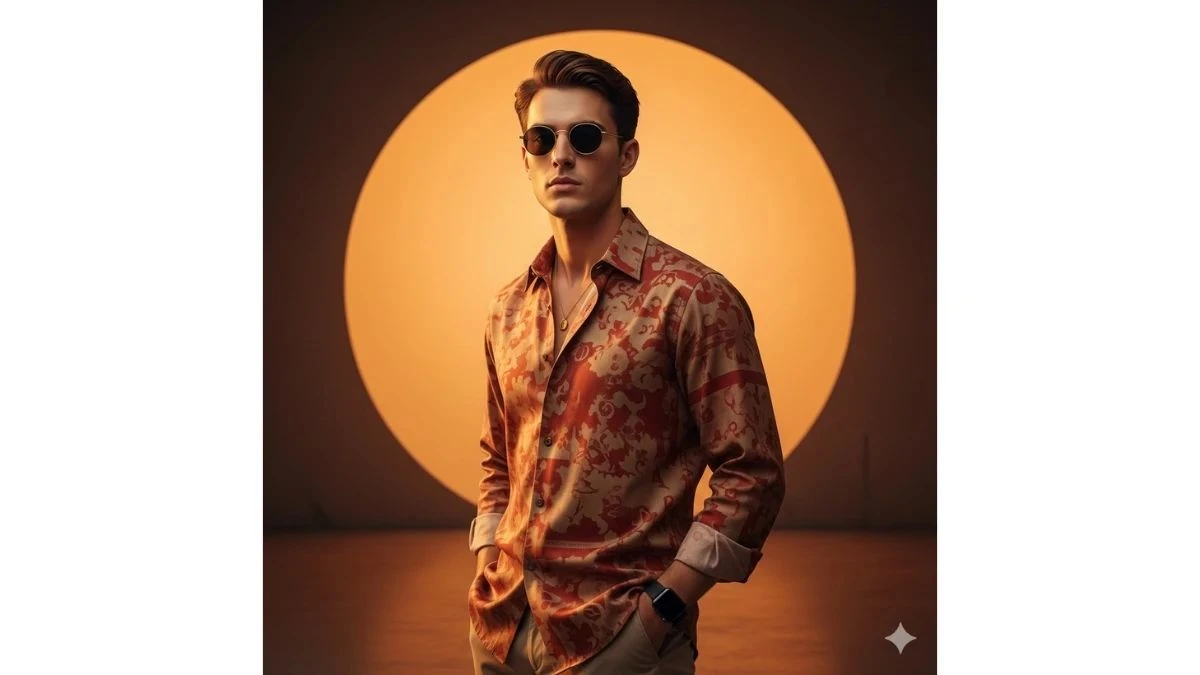
"Create an ultra-realistic, hyper-detailed 8K cinematic portrait of a young, stylish man using the uploaded reference image as a 100% exact facial and hairstyle match (do not alter face shape, features, or identity). He is standing confidently with a calm, composed expression, gazing slightly to the side, with one or both hands casually placed in his pockets, projecting modern elegance and understated authority.
He is wearing a red-beige shirt made of soft, natural fabric, impeccably pressed, with subtle highlights and shadows sculpting the folds and contours for a refined, high-fashion editorial look. Accessories include a sleek modern smartwatch, a delicate necklace that softly reflects ambient light, and round gold-frame sunglasses for a bold, luxury statement.
The background features a large circular glowing orange backdrop resembling a warm sunset, forming a soft halo effect around the subject. The environment is minimalistic and artistic, with dreamy cinematic lighting, soft shadows, and refined highlights that enhance skin texture, fabric detail, and overall depth. Apply shallow depth of field, high dynamic range, rich natural tones, and premium DSLR-style cinematic color grading to achieve a luxurious, painterly, magazine-quality fashion portrait."
Best For: Fashion Editorials, Instagram Reels, AI Face Match, Cinematic Wallpapers
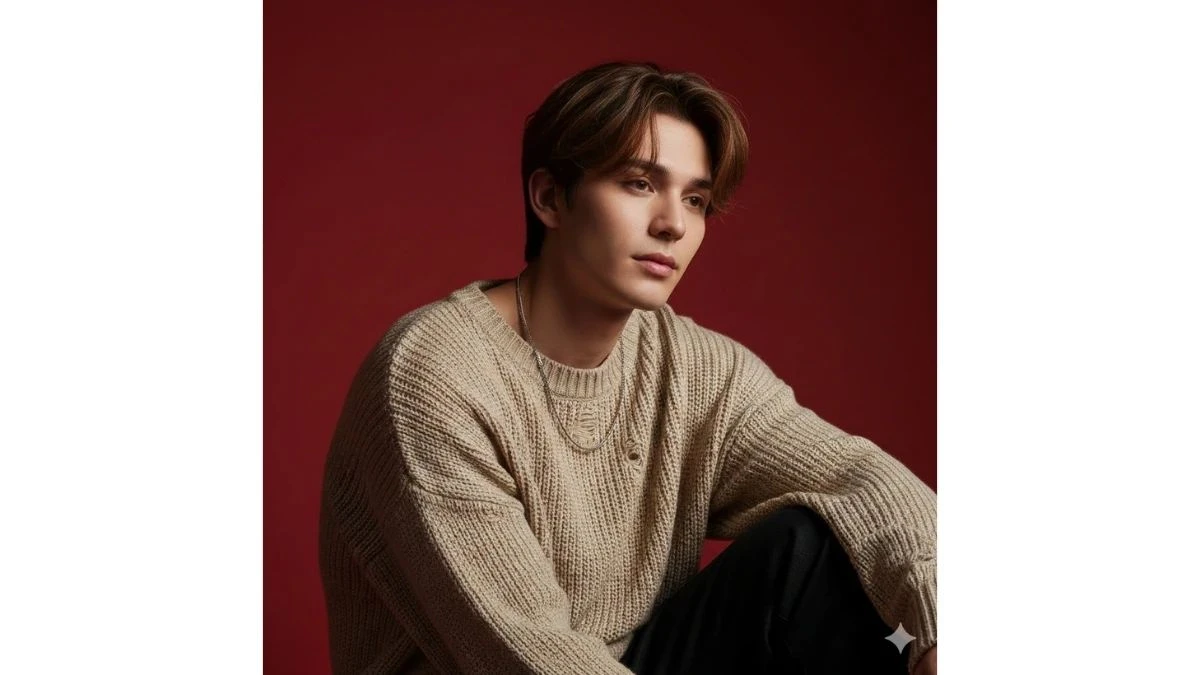
Prompt 3: Red Backdrop Editorial Portrait
Use This:
"Create an ultra-realistic, hyper-detailed 8K cinematic portrait of a young, stylish man using the uploaded reference image as a 100% exact facial and hairstyle match (do not alter face shape, features, or identity). The subject is seated in a relaxed, natural pose with his head slightly tilted and a soft, calm expression, conveying quiet confidence and modern elegance. He has medium-length, messy, layered hair that frames his face naturally.
He is wearing an oversized, distressed beige loose-knit sweater with visible fabric texture, paired with a simple silver chain necklace that subtly reflects the ambient light. The background is a solid, vibrant red backdrop, creating a bold, minimalistic, and high-fashion studio aesthetic that emphasizes clean composition and strong subject separation.
Use cinematic lighting with soft, moody shadows and refined highlights to enhance smooth, natural skin tones and detailed fabric textures. Apply shallow depth of field, high dynamic range, and premium DSLR-style cinematic color grading to achieve a luxurious, fashion-editorial, magazine-quality portrait with a polished and stylish finish."
Best For: Fashion Editorials, Instagram Reels, AI Face Match, Cinematic Wallpapers
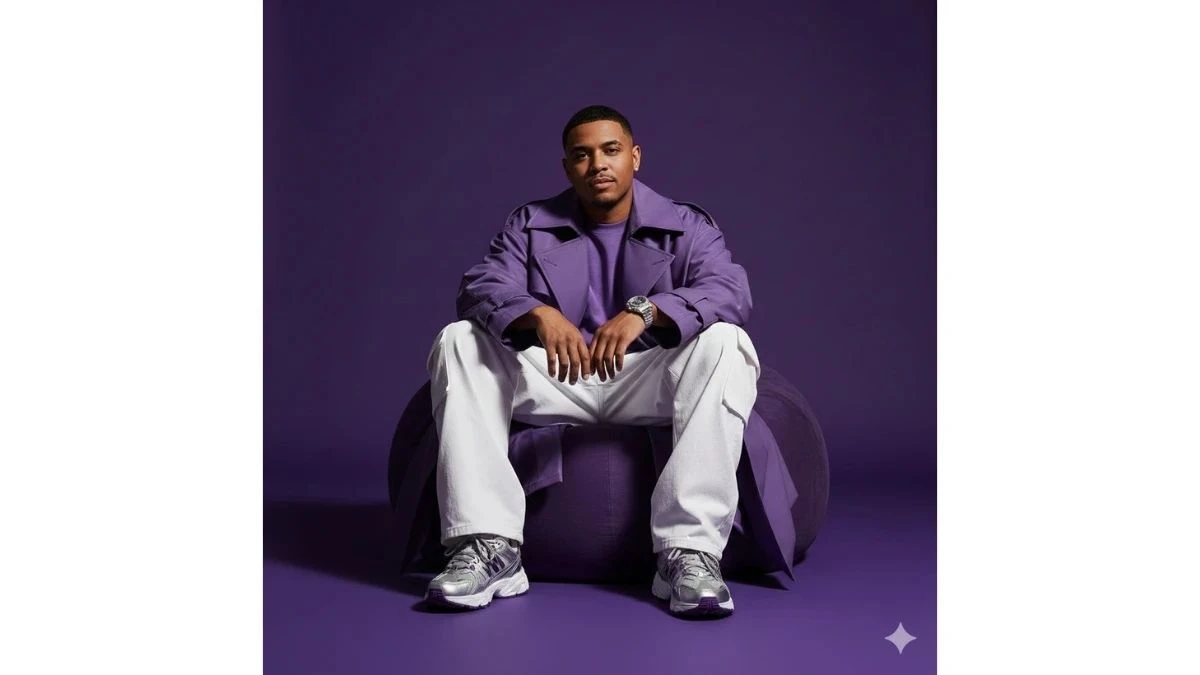
Prompt 4: Purple Streetwear Editorial Portrait
Use This:
"Create a hyper-realistic, cinematic full-body fashion photoshoot of the uploaded person (age 25, height 5'5") using the reference image as a 100% exact facial and hairstyle match (do not alter face shape, features, skin tone, or identity). The subject is seated cross-legged on a deep purple bean bag, with hands resting casually on the knees, facing the camera directly with a confident, subtle smile that conveys modern streetwear attitude.
He is styled in a bold, all-purple oversized streetwear outfit, featuring a flowing trench coat, wide white pants, and chunky sneakers, accessorized with a sleek silver wristwatch for a premium fashion touch. The background is a solid purple studio backdrop, creating a clean, minimal, high-fashion editorial setting.
Use dramatic studio lighting to sculpt the subject and highlight fabric textures, folds, and sheen, creating strong contrast and cinematic depth. Apply shallow depth of field, high dynamic range, ultra-detailed skin and fabric textures, and premium DSLR-style cinematic color grading to achieve a luxury Adidas-inspired editorial vibe with powerful presence, bold style, and magazine-quality polish."
Best For: Fashion Editorials, Instagram Reels, AI Face Match, Cinematic Wallpapers
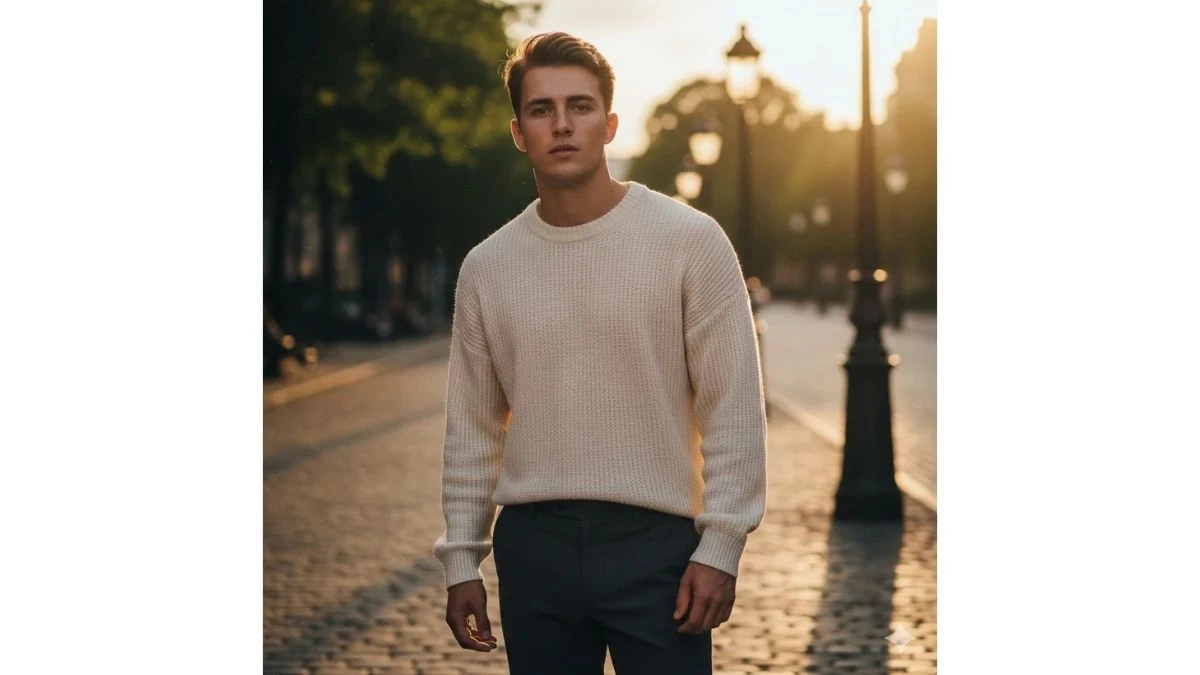
Prompt 5: Golden Hour Lane
Use This:
"Create a hyper-realistic 4K cinematic portrait of a young man using an uploaded face reference. He wears a cream knit sweater with fitted dark trousers. He stands on a sunlit street during golden hour with warm light casting long shadows. Use soft natural light, shallow depth of field, warm highlights, realistic skin texture, high dynamic range, and subtle film grain. Background features blurred trees and gently glowing street lamps. Capture in 9:16 vertical ratio with crisp facial focus and vibrant cinematic tones."
Best For: Lifestyle Reels, Warm Aesthetic Portraits
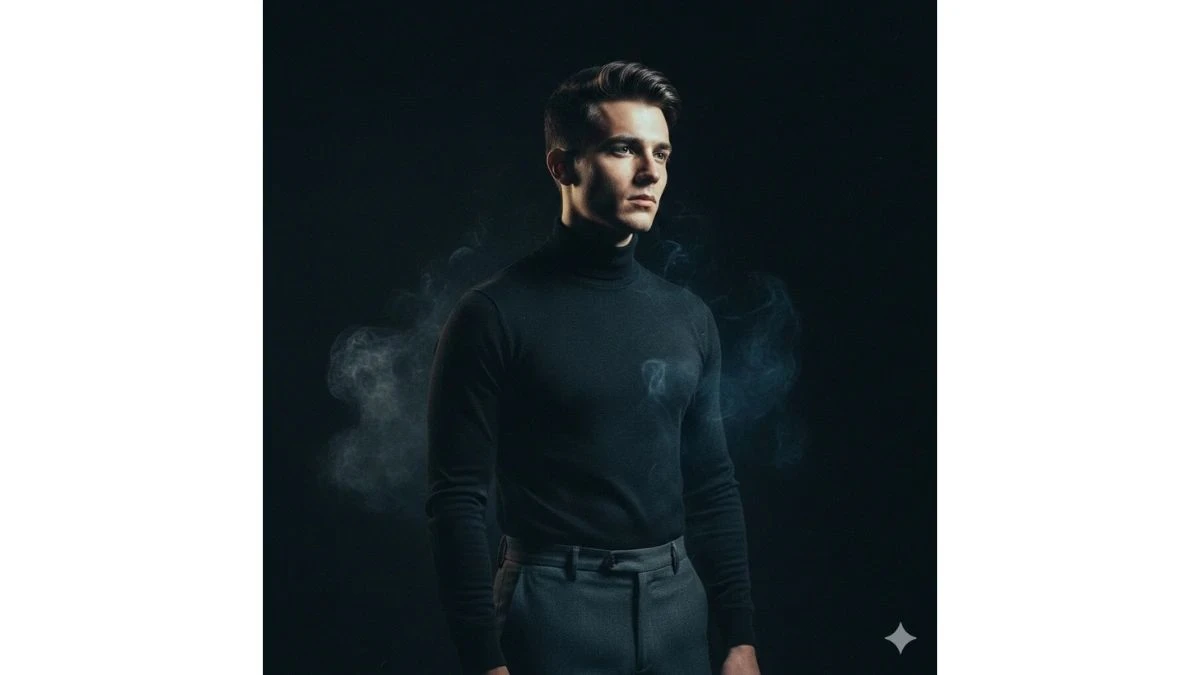
Prompt 6: Smoke & Spotlight
Use This:
"Create a hyper-realistic 4K cinematic portrait of a young man using an uploaded face. He wears a fitted black turtleneck and tailored pants. Use a dark studio with soft smoke ambient and a spotlight hitting his face at a dramatic angle. Deep shadows, high contrast, shallow depth of field, realistic skin detail, HDR tones, and subtle film grain. Background is pure black with smoke wisps creating depth. Capture in 9:16 vertical."
Best For: Editorial Portraits, Studio Fashion Reels
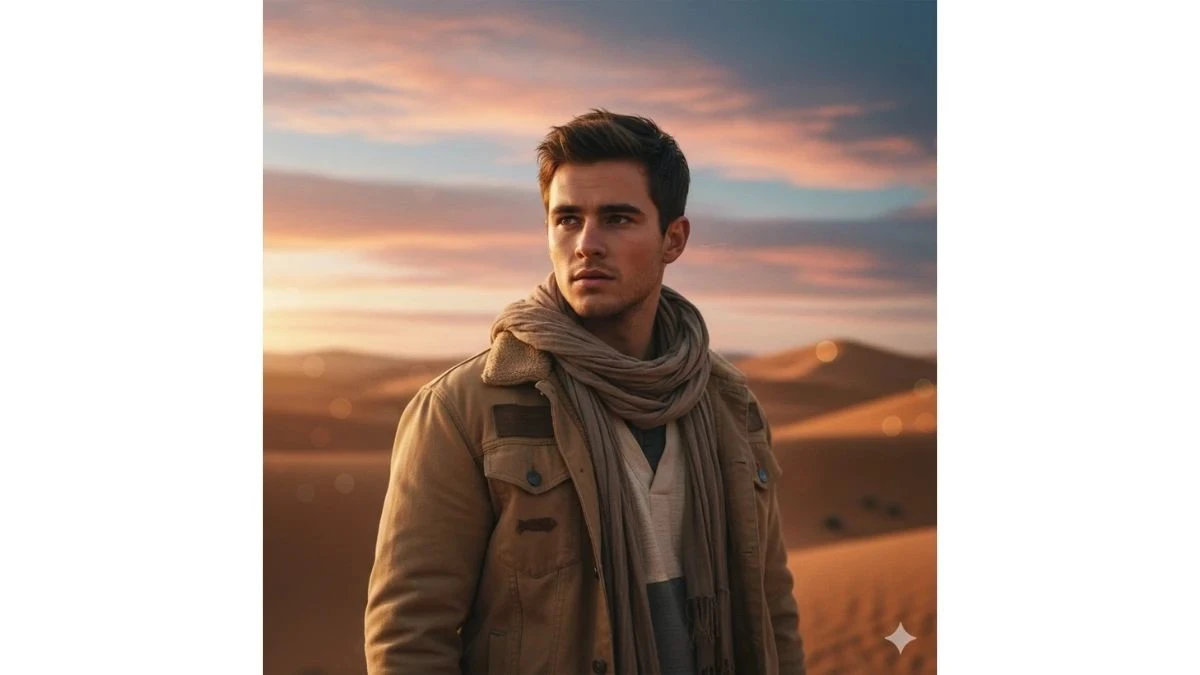
Prompt 7: Desert Dusk Aesthetic
Use This:
"Create an ultra-realistic 4K cinematic portrait of a young man using an uploaded face reference. He wears a sand-colored jacket and neutral tones. He stands in a desert at dusk with warm pink and blue skies. Use soft natural lighting, depth-of-field blur on dunes, realistic skin fit, HDR sky highlights, and subtle film grain. Background features smooth cinematic bokeh dunes and sky. Capture in 9:16 vertical ratio with crisp focus on face and outfit details."
Best For: Travel Reels, Cinematic Portraits
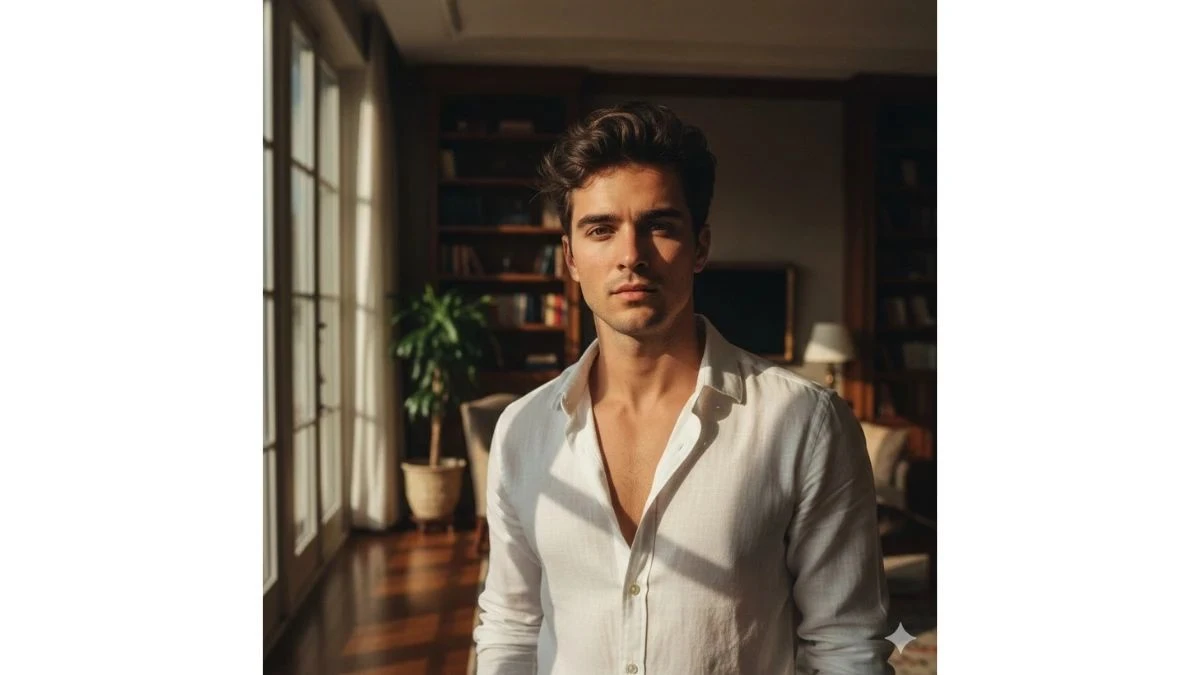
Prompt 8: Window Light Drama
Use This:
"Create a hyper-realistic 4K cinematic portrait of a young man with an uploaded face reference. He wears a white linen shirt, unbuttoned at collar. He stands by a large window with dramatic daylight streaming in. Use soft shadows, warm highlights, deep texture on skin and fabric, high dynamic range, shallow depth of field, and fine film grain. Background is an elegant indoor set with artistic blur. Capture in vertical 9:16 ratio with emotional eye focus."
Best For: Artistic Portrait Reels, Lifestyle Stories
Prompt 9: Rooftop Sunset Edge
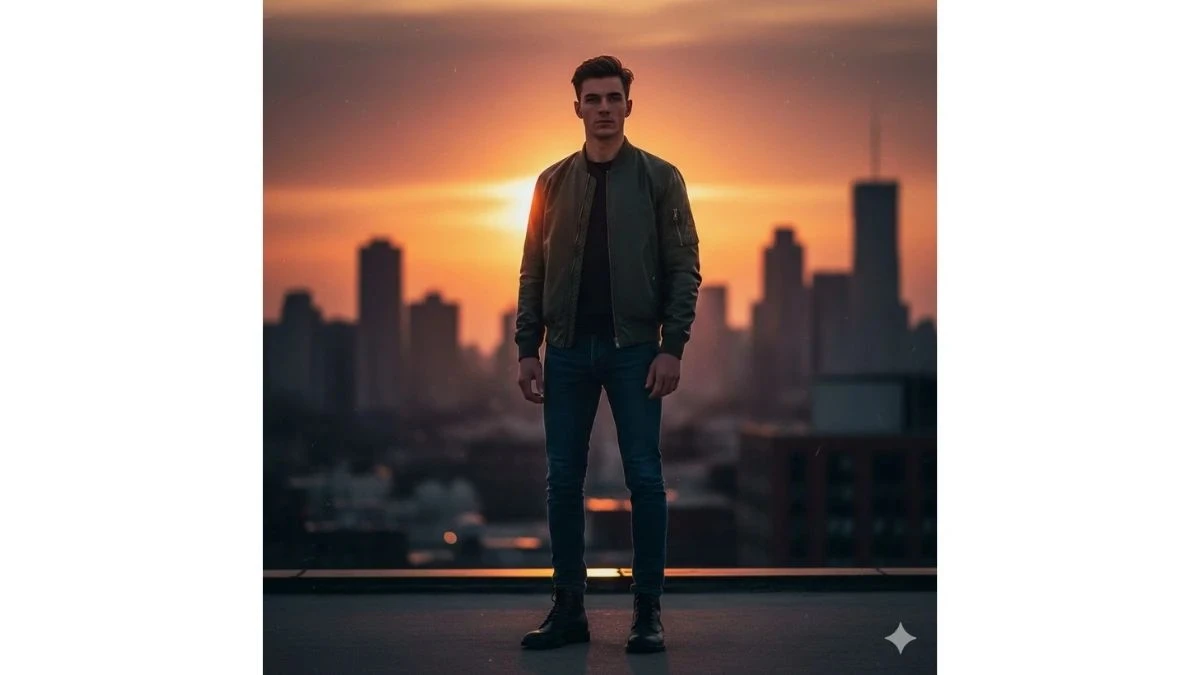
Use This:
"Create an ultra-realistic 4K cinematic portrait of a young man using an uploaded face reference. He wears a stylish bomber jacket and dark jeans, standing on a rooftop with dramatic sunset behind him. Use warm backlight, rim lighting, shallow depth of field, vibrant colors, realistic skin texture, HDR contrast, and subtle film grain. Background features blurred city skyline and sunset glow. Capture in 9:16 vertical."
Best For: Golden Hour Reels, Urban Portrait Aesthetics
Prompt 10: Smoke Bomb Urban Glow
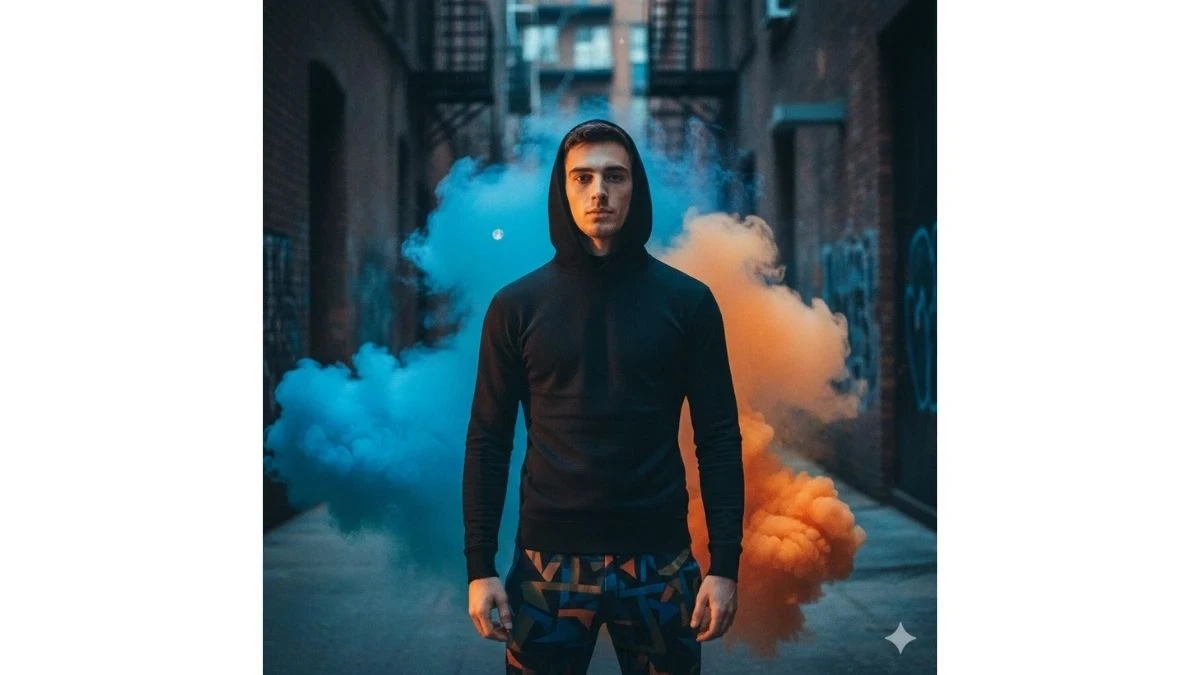
Use This:
"Create a hyper-realistic 4K cinematic portrait of a young man using an uploaded face reference. He wears a fitted black hoodie and abstract print pants. He stands in an alley with colored smoke bombs (cool teal and warm orange) creating vibrant plumes behind. Use moody contrasting lights, shallow depth of field, dramatic shadows, realistic skin detail, HDR color highlights, and fine film grain. Background is urban texture softly blurred. Capture in 9:16 vertical ratio."
Best For: Trendy Reels, Art Portraits
How to Create Hyper-Realistic Cinematic Portraits with Gemini AI (Step-by-Step Guide)
According to Google's official Gemini AI documentation, advanced prompt engineering techniques can dramatically improve the quality and realism of AI-generated portraits. Follow these steps to create stunning cinematic portraits:
1. Launch Google Gemini AI
Open Google Gemini (web or mobile app) and navigate to the "Create image" or photo editing option. Sign in to your Google account if required.
2. Upload a High-Quality Selfie
Select a clear, well-lit selfie with your full face visible and a simple background. Ensure sharp details, natural lighting, and good resolution (at least 1080p) for best results.
3. Copy a Cinematic Portrait Prompt
Choose one of the 10 prompts above based on the style you want—beach resort, golden hour, studio editorial, streetwear, or urban aesthetic.
4. Paste and Customize the Prompt
Paste the prompt into Gemini's text field. Add specific notes like "keep my exact face, ultra-realistic skin texture, cinematic lighting, stylish outfit, 4K/8K portrait" to ensure face accuracy.
5. Specify Your Desired Vibe
Mention the mood you want: street night lights, green outdoor bokeh, luxury studio, action mood, warm golden hour, or dramatic shadows.
6. Set Quality Preferences
Choose your desired settings:
- Resolution: 4K or 8K (recommended for maximum detail)
- Aspect Ratio: 9:16 for Reels/Stories, 4:5 for Instagram posts, 1:1 for profile photos
- Mood: Cinematic, editorial, moody, or soft light
7. Generate and Review
Click Generate/Create and wait a few seconds while Gemini renders your hyper-realistic cinematic portrait. Review the result carefully.
8. Refine If Needed
If the face changes or looks too artificial, adjust your prompt with phrases like "do not change my face, keep it natural, no plastic skin, preserve original facial features" and regenerate.
9. Download and Optimize
Download the highest-quality version. Crop it to fit your platform requirements (4:5 or 9:16) before posting on Instagram, Reels, YouTube Shorts, or using as your profile picture.
Related Articles
Disclaimer : The above information is for general informational purposes only. All information on the Site is provided in good faith, however we make no representation or warranty of any kind, express or implied, regarding the accuracy, adequacy, validity, reliability, availability or completeness of any information on the Site.